
29개 화면, 화면마다 하나의 일Twenty-nine screens, one job each
설정 · 측정 · 분석 · 도구 네 갈래로 나뉩니다. 아래는 각 화면이 무엇을 하고, 무엇이 보이고, 어떻게 읽어야 하는지까지 정리한 것입니다. 앱 안에서도 각 화면 우측 상단의 ? 버튼으로 같은 설명을 볼 수 있습니다.Grouped into Settings, Measurement, Analysis and Tools. For each screen below: what it does, what you see, and how to read it. The same explanation is available in the app from the ? button on every screen.
설정 — 측정을 시작하기 전에Settings — before you measure anything
여기서 잘못 잡으면 이후 모든 측정값이 함께 틀어집니다.Get these wrong and every measurement downstream is wrong with them.
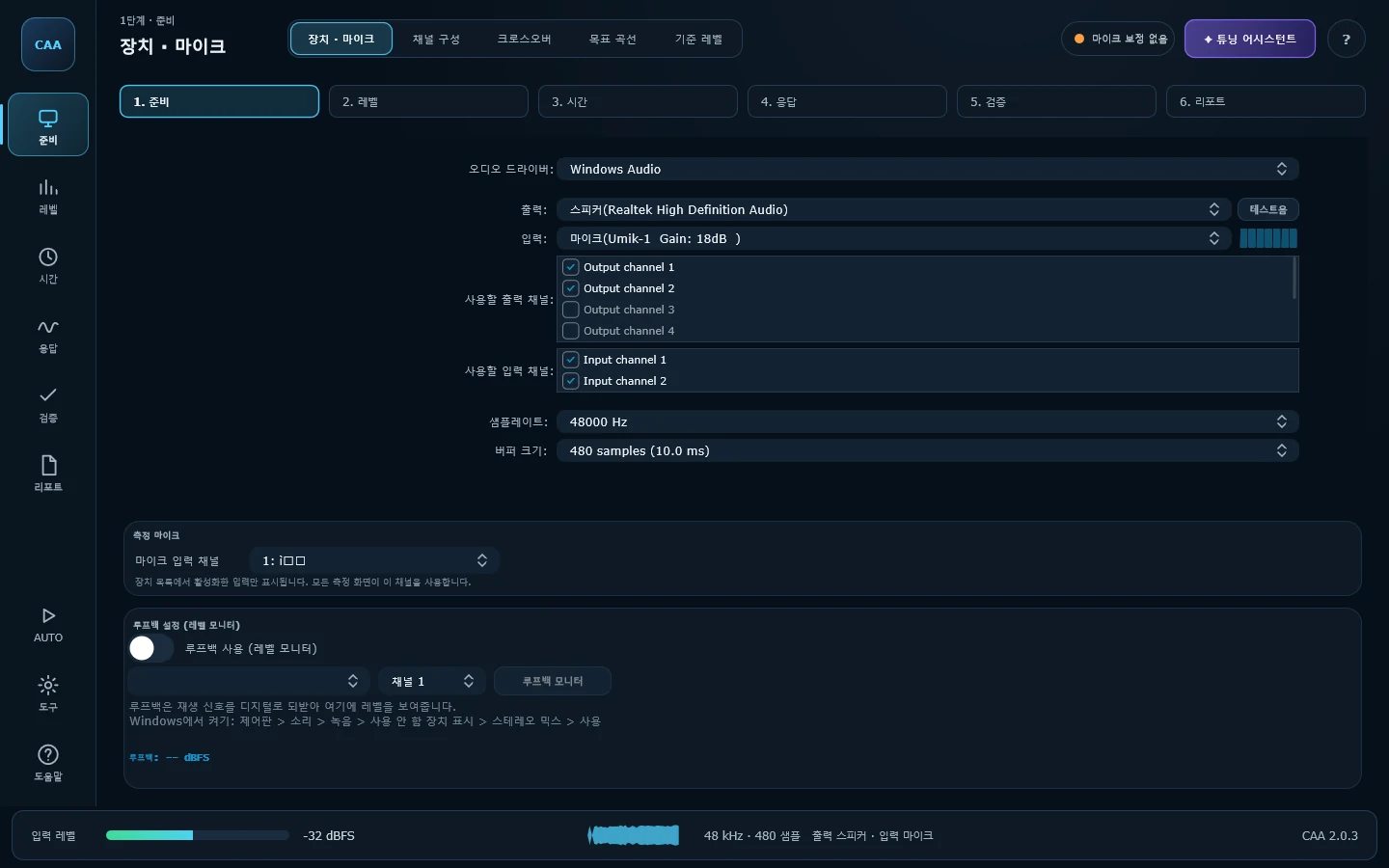
장치 · 마이크Device
오디오 인터페이스, 드라이버 타입, 샘플레이트, 버퍼 크기, 입출력 채널을 지정합니다. ASIO·WASAPI·DirectSound를 모두 지원하며, 하단에서 루프백 신호의 레벨을 따로 모니터링할 수 있습니다.Pick the interface, driver type, sample rate, buffer size and I/O channels. ASIO, WASAPI and DirectSound are all supported, and a loopback level monitor sits at the bottom.
읽는 법How to read it —버퍼가 클수록 측정은 안정되고 반응은 느려집니다. 측정 목적이라면 크게 잡으세요. 출력 채널 번호가 앰프·DSP의 입력 순서와 맞는지 반드시 확인해야 합니다.A bigger buffer means steadier measurement and slower response — favour size when measuring. Check that the output channel numbers line up with your amp or DSP inputs.
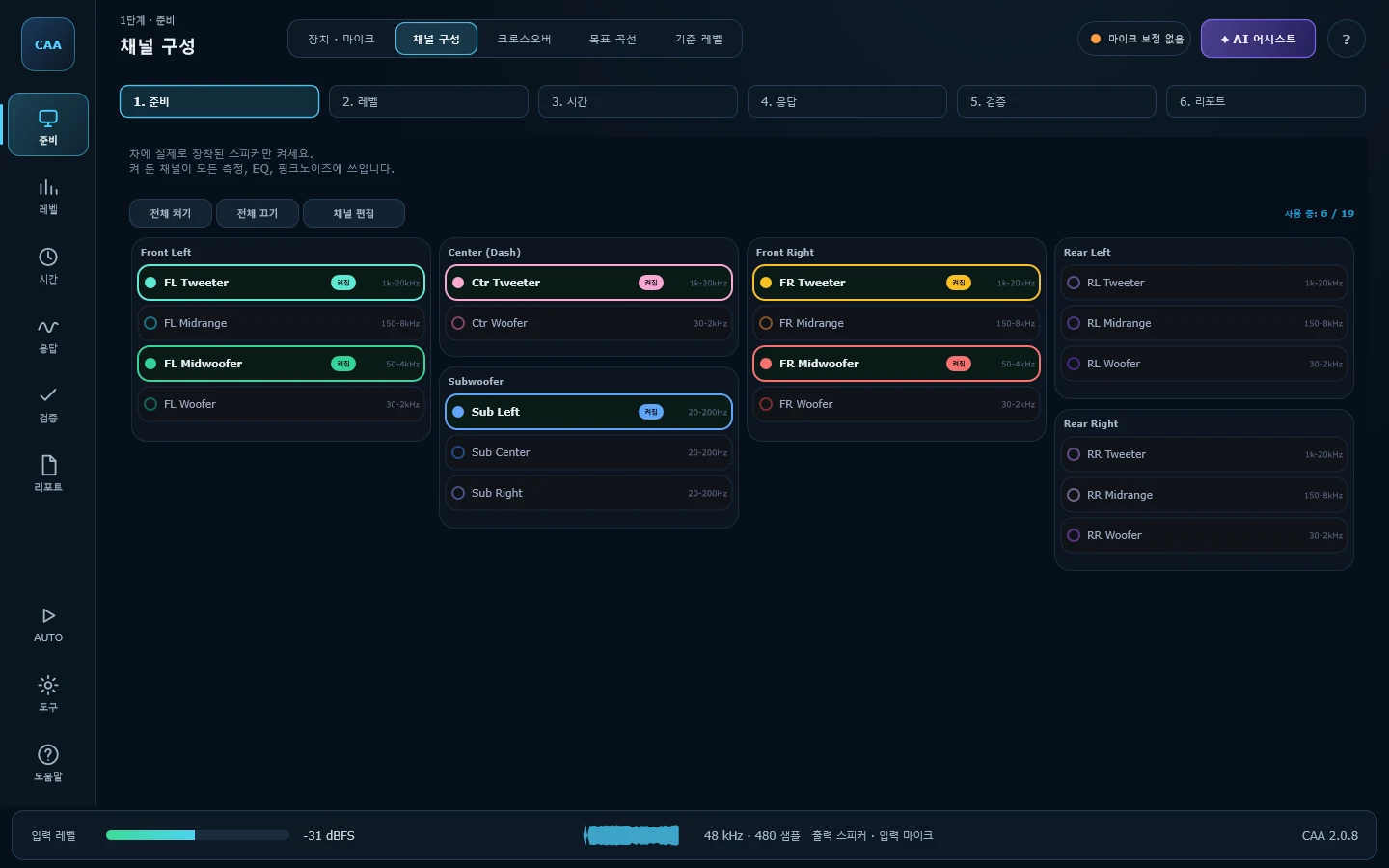
채널 구성Channels
차량에 실제로 장착된 스피커만 켭니다. 전면 좌우 각 4개, 후면 좌우 각 3개, 센터 2개, 서브 3개 — 최대 19채널을 그룹으로 관리합니다.Enable only the drivers actually fitted — four each front left and right, three each rear, two centre and three subs, up to nineteen channels in groups.
읽는 법How to read it —여기서 켠 채널이 크로스오버, 레벨 매칭, 타임 얼라인먼트, 라이브 EQ의 채널 목록 그 자체입니다. 없는 채널을 켜두면 이후 모든 화면이 불필요하게 복잡해집니다.Whatever you enable here is the channel list in Crossover/EQ, Channel Level Match, Time Alignment and Live EQ. Leaving unfitted channels on clutters every later screen.
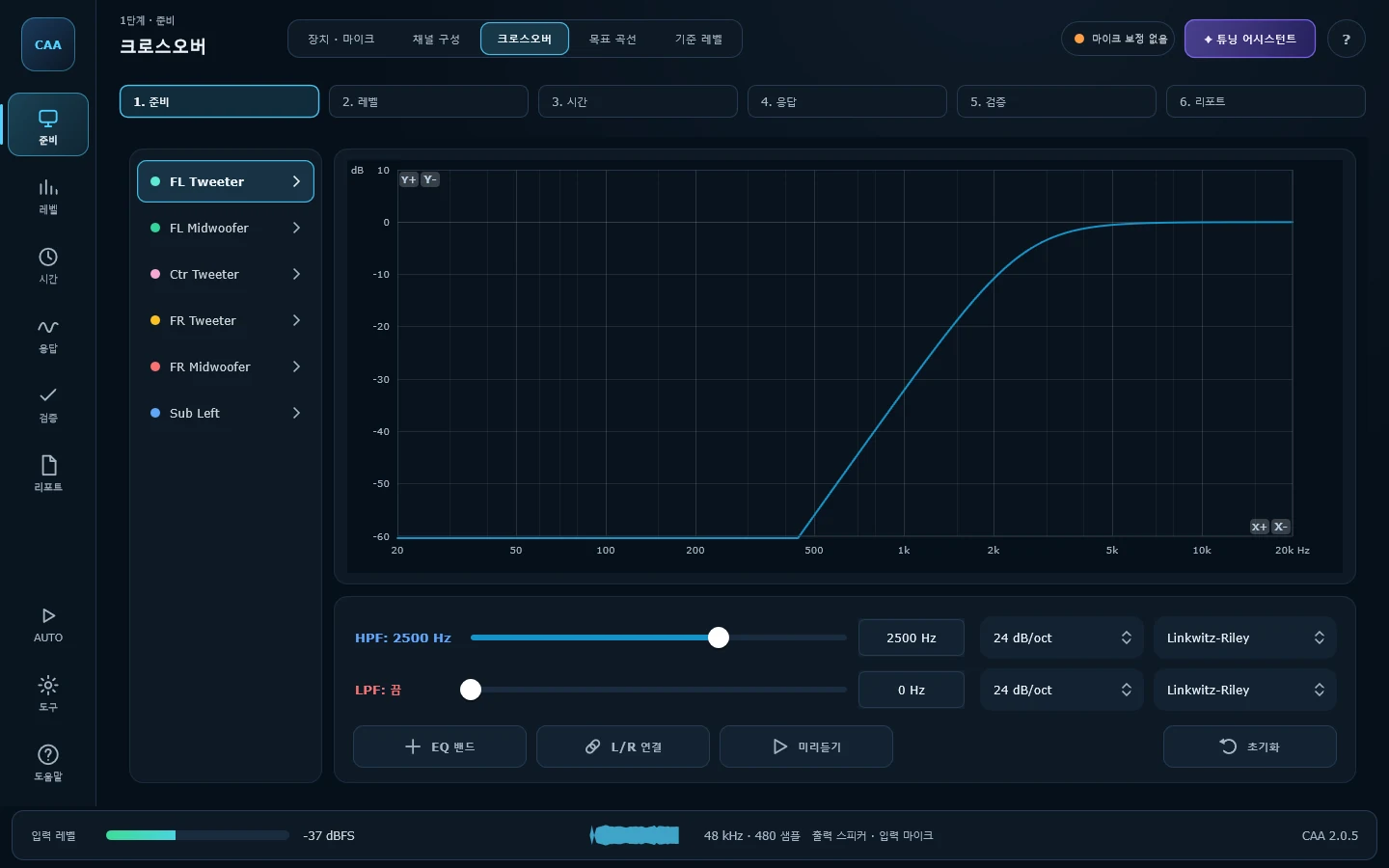
크로스오버Crossover / EQ
채널별 HPF/LPF와 PEQ를 설계합니다. Linkwitz-Riley · Butterworth · Bessel 중 필터 계열을 고르고 12 / 24 / 48 dB/oct 슬로프를 지정합니다. Preview를 켜면 지금 그린 필터가 실제 재생 신호에 그대로 적용됩니다.Design per-channel high/low-pass and PEQ. Choose Linkwitz-Riley, Butterworth or Bessel at 12, 24 or 48 dB per octave. Turn on Preview and the drawn filter is applied to the audio you hear.
읽는 법How to read it —그래프의 곡선과 실제 오디오 처리가 같은 계산을 공유하므로 "보이는 것 = 들리는 것"입니다. 서로 이어지는 두 유닛은 슬로프와 필터 타입을 맞춰야 합쳐진 응답이 매끄럽습니다.The plotted curve and the audio share one filter calculation, so what you see is what you hear. Two drivers meeting at a crossover should share slope and type, or their sum will not be smooth.
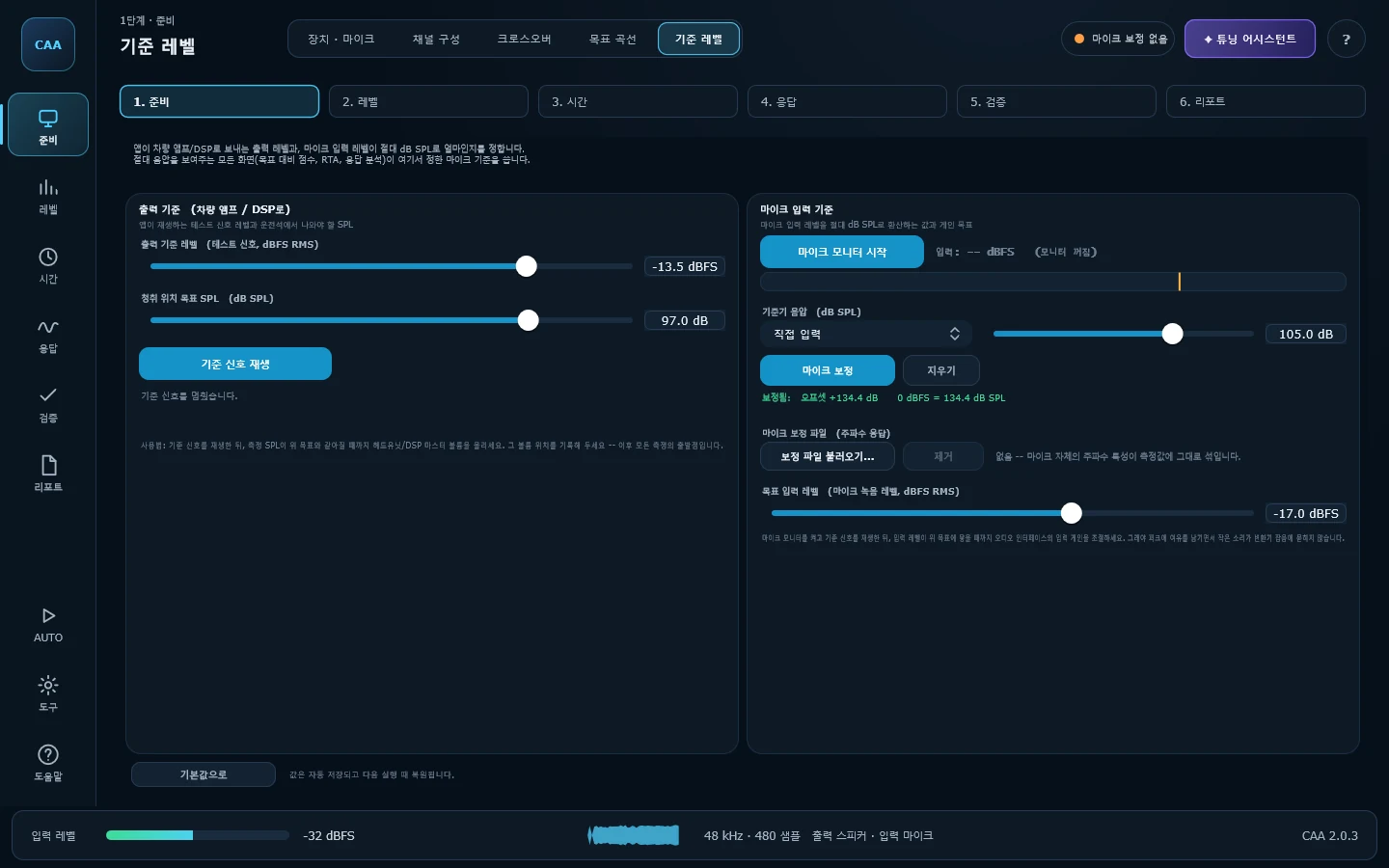
기준 레벨Reference Level
측정의 기준점을 정하는 화면입니다. 앱이 내보내는 테스트 신호의 실제 RMS 레벨(dBFS), 청취 위치에서의 목표 음압(dB SPL), 마이크 입력 목표 레벨을 지정하고, 기준기(94/114 dB SPL)로 dBFS를 dB SPL로 변환하는 오프셋을 잡습니다. 여기서 한 번 보정하면 목표 대비 점수·RTA·응답 분석 · 종합가 같은 기준을 씁니다.Where the measurement references are set: the RMS level of the test signal in dBFS, the target SPL at the seat, and the microphone input target. One calibration against a 94/114 dB reference feeds SPL/Harman, RTA and the Sound Meter alike.
마이크 보정 파일Mic calibration file —UMIK-1 같은 계측 마이크에 딸려오는 개체별 보정 파일(.txt/.cal)을 불러오면 마이크 자체의 주파수 특성이 모든 측정에서 제거됩니다. 단일점 SPL 보정이 '크기'를 맞춘다면, 이쪽은 '모양'을 맞춥니다.Load the per-unit calibration file that ships with a measurement mic (UMIK-1 and friends) and the microphone's own response is taken out of every measurement. The single-point SPL calibration fixes level; this fixes shape.
듀얼 FFT 전달함수 · 실시간 디컨볼루션Dual-FFT transfer function, real-time deconvolution
앱이 내보낸 신호와 마이크가 받은 신호를 한 쌍으로 놓고 H1 = <Sxy>/<Sxx>를 연속으로 계산합니다. 크기·위상·코히런스·그룹 딜레이가 실시간으로 나오고, 그 전달함수를 역FFT하면 임펄스 응답이 그 자리에서 만들어집니다 — 스윕을 다시 쏘지 않고도 도달 시간이 갱신됩니다.The signal the app sent and the signal the mic heard are treated as a pair, and H1 = <Sxy>/<Sxx> is computed continuously. Magnitude, phase, coherence and group delay come out live, and an inverse FFT of that transfer function produces the impulse response on the spot — arrival time updates without firing another sweep.
코히런스가 하는 일What coherence is for —마이크와 기준 신호가 서로 상관 없는 대역(주변 소음, 비선형 왜곡, 상쇄로 죽은 룸 모드)을 숫자로 알려줍니다. 임펄스 응답을 만들 때는 그런 대역을 γ⁴로 눌러 꼬리가 오염되지 않게 하고, 라이브 EQ의 Auto EQ는 코히런스가 낮은 밴드를 아예 건드리지 않습니다. 화면에 그리는 곡선 자체는 가중 없는 원본이라 표시값이 왜곡되지 않습니다.It says, per band, how much of what the mic heard actually came from the reference — as opposed to traffic outside, distortion, or a room mode cancelling itself. Those bands are pushed down by γ⁴ when the impulse response is built, and Auto EQ simply will not correct a band it cannot trust. The displayed curves stay unweighted, so nothing on screen is quietly biased.
아무 신호로나Any signal will do —핑크노이즈는 물론 음악을 틀어놓고도 측정됩니다. 손님을 태운 채로, 평소 듣는 음원으로 응답을 보면서 EQ를 만질 수 있습니다. 정확한 절대 지연이 필요할 때는 스윕(ESS) 쪽을 쓰고, 두 결과가 비슷하면 그 측정은 믿을 수 있습니다.Pink noise, or the customer's own music. You can tune while something is actually playing and watch the response follow. When you need the absolute arrival time to the sample, the swept-sine path is there — and when the two agree, the measurement is trustworthy.
AUTO 모드 — 순서대로 따라가기AUTO mode — the order, walked
카오디오 세팅은 단계가 서로 얽혀 있어서, 순서를 지키지 않으면 앞에서 한 일이 조용히 무효가 됩니다. 타임 얼라인먼트를 EQ보다 먼저 해야 하고, 크로스오버는 소리를 내기 전에 걸어야 합니다. AUTO 모드는 그 19단계를 순서대로 안내하고, 단계마다 무엇을 왜 하는지 창으로 띄웁니다.The steps of a car tune depend on each other, so doing them out of order quietly invalidates the ones before: time alignment has to come before EQ, and the crossover has to be in place before anything plays loud. AUTO mode walks those nineteen steps in order and explains each one as it arrives.
DSP 지시What to type —측정이 끝나면 '프론트 좌측 트위터: DSP 지연 2.40 ms 입력', '왼쪽 그룹을 3.4 dB 내리세요'처럼 채널 이름과 숫자로 알려줍니다. 극성이 뒤집힌 채널이 있거나 배경 소음이 너무 크면 다음 단계로 넘어가지 못하게 막습니다.When a measurement finishes it names the channel and the number: enter 2.40 ms of delay on the front left tweeter, bring the left group down 3.4 dB. If a channel is out of polarity or the car is too noisy to measure in, it will not let the run continue.
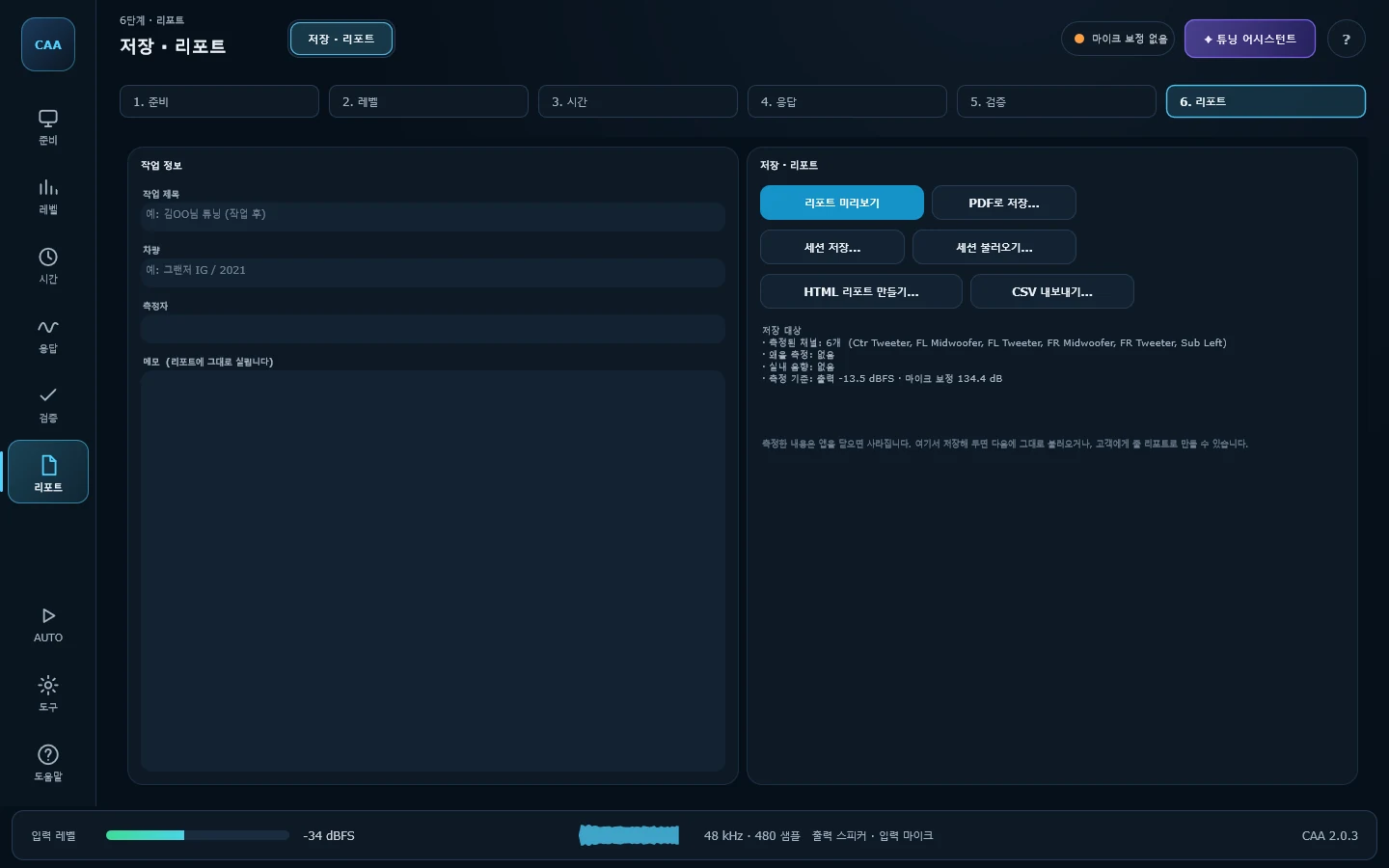
저장 · 리포트Save & Report
측정 전체를 파일 하나(.caa)로 저장하고, 고객에게 줄 리포트를 만듭니다. 채널별 임펄스·주파수응답·위상·지연·극성, 왜율, 실내 음향, 그리고 그때의 측정 기준까지 함께 들어가므로 다른 날 측정한 결과와 그대로 비교할 수 있습니다.Saves the whole measurement as a single .caa file and turns it into a customer-facing report. Impulse, response, phase, delay and polarity per channel, plus distortion, room figures and the reference levels in force at the time — so two sessions taken on different days are actually comparable.
리포트The report —PDF로 바로 만들어집니다. 브라우저도 인쇄 대화상자도 필요 없습니다. 저장하기 전에 '리포트 미리보기'로 페이지를 넘겨보며 확인할 수 있고, 미리보기에 보이는 그 화면이 그대로 PDF가 됩니다. 메일로 보내기 좋은 HTML 한 파일, 표만 필요할 때 쓰는 CSV로도 내보냅니다.Written straight to PDF — no browser, no print dialog. Page through it in the preview first, and what you see there is exactly what lands in the file. A single self-contained HTML file and a CSV export are there too.
측정 — 실제 소리를 숫자로Measurement — turning sound into numbers
마이크를 청취 위치에 고정하고, 측정 내내 움직이지 않는 것이 가장 중요합니다.Fix the microphone at the listening position and — above all — do not move it between measurements.
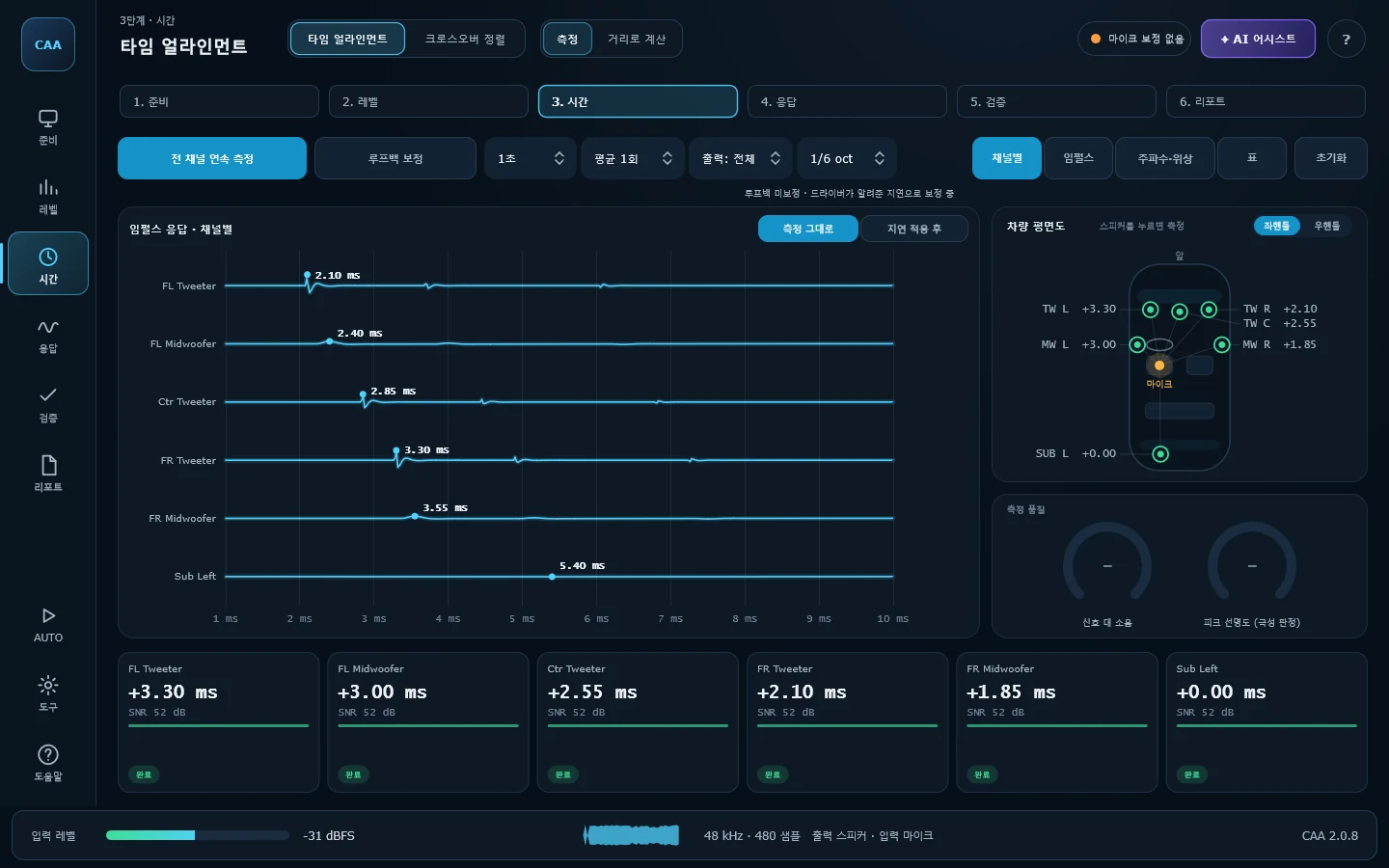
타임 얼라인먼트Time Alignment
로그 사인 스윕으로 채널별 임펄스 응답을 측정해 청취 위치까지의 도달 시간을 구합니다. 루프백 캘리브레이션으로 사운드카드 왕복 지연을 제거하고, 서브샘플 피크 보간으로 1 샘플보다 미세한 해상도를 얻습니다. 임펄스 · 주파수응답 · 위상 세 그래프가 동시에 표시됩니다.A log sine sweep gives each channel's impulse response and its arrival time. Loopback calibration removes the interface's round-trip latency, and sub-sample peak interpolation resolves finer than a single sample. Impulse, magnitude and phase are shown together.
읽는 법How to read it —임펄스에 뾰족한 단일 피크와 자연스러운 꼬리가 보이고 SNR이 충분하면 좋은 측정입니다. 결과 표 아래에 각 채널에 넣을 DSP 지연값이 계산되어 나옵니다.One sharp peak with a natural tail and a healthy SNR is a good measurement. Below the table you get the DSP delay to add for each channel.
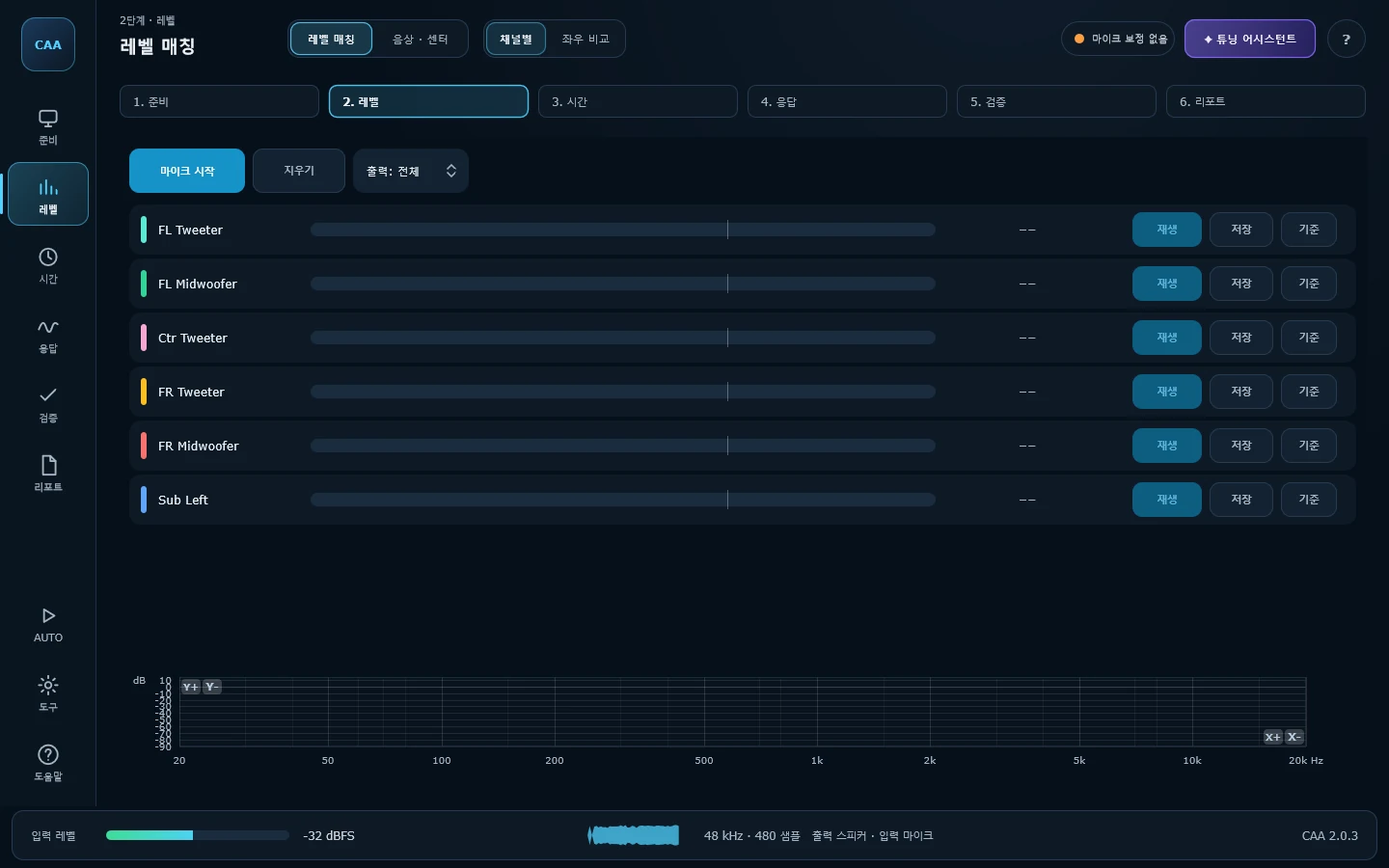
레벨 매칭 · 채널별Channel Level Match
활성 채널을 하나씩 재생해 마이크로 레벨을 측정하고, 기준(Ref) 채널 대비 dB 차이로 비교합니다. 출력 채널을 지정하면 해당 스피커 하나만 울립니다.Plays each active channel in turn, measures its level at the microphone and compares it in dB against a chosen reference. Target an output and only that speaker sounds.
읽는 법How to read it —표시된 dB 차이만큼 앰프나 DSP의 채널 게인을 조정하면 됩니다. 채널마다 마이크 위치가 조금이라도 달라지면 비교가 무의미해집니다.Adjust amp or DSP gain by the difference shown. Move the microphone even slightly between channels and the comparison stops meaning anything.
레벨 매칭 · 좌우 비교L/R Level
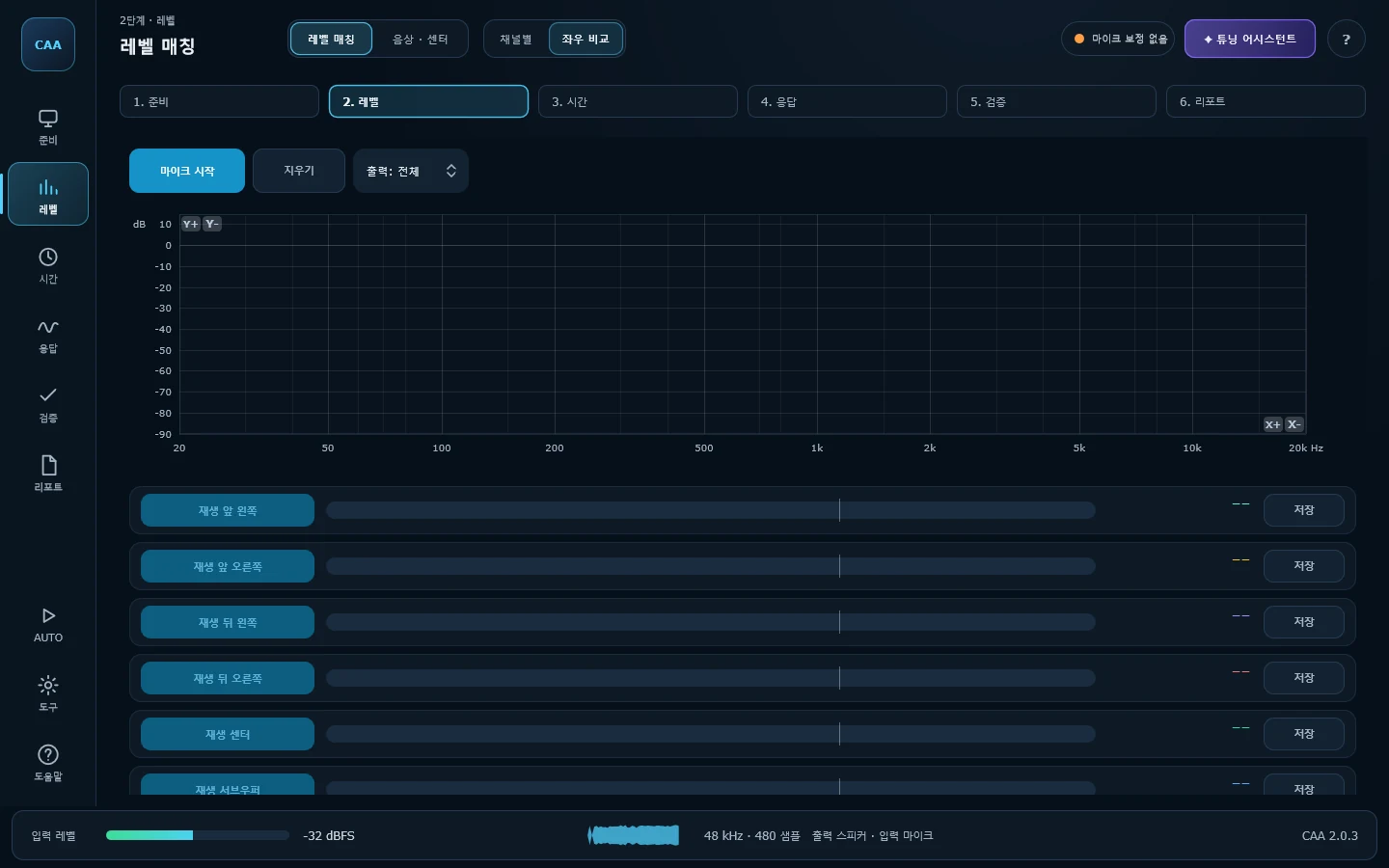
유닛 단위가 아니라 프론트 좌/우, 리어 좌/우, 센터, 서브 그룹 단위로 레벨을 비교합니다. 그룹을 하나 재생하면 그 출력으로만 핑크노이즈가 나가고, 값이 안정되면 Save로 붙잡아 둡니다. 저장한 값은 재생을 멈추거나 다른 화면에 다녀와도 남아 있어 그룹끼리 나란히 비교할 수 있습니다.Compares levels by group — front left and right, rears, centre, sub — rather than driver by driver. Playing a group sends pink noise to that output only; Save holds the reading. Stored values survive stopping playback and moving between screens, so the groups can be read side by side.
읽는 법How to read it —좌우 차이가 3 dB를 넘으면 레벨·유닛 위치·반사 중 하나가 원인입니다. 그룹마다 어느 출력에서 잰 값인지 함께 남으므로, 나중에 그 값이 어떤 조건에서 나온 것인지 헷갈리지 않습니다.More than 3 dB between sides means level, placement or reflections. Each stored figure records which output it was measured on, so there is no guessing later about the conditions it came from.
음상 · 센터 · 운전석 측정Stereo Image
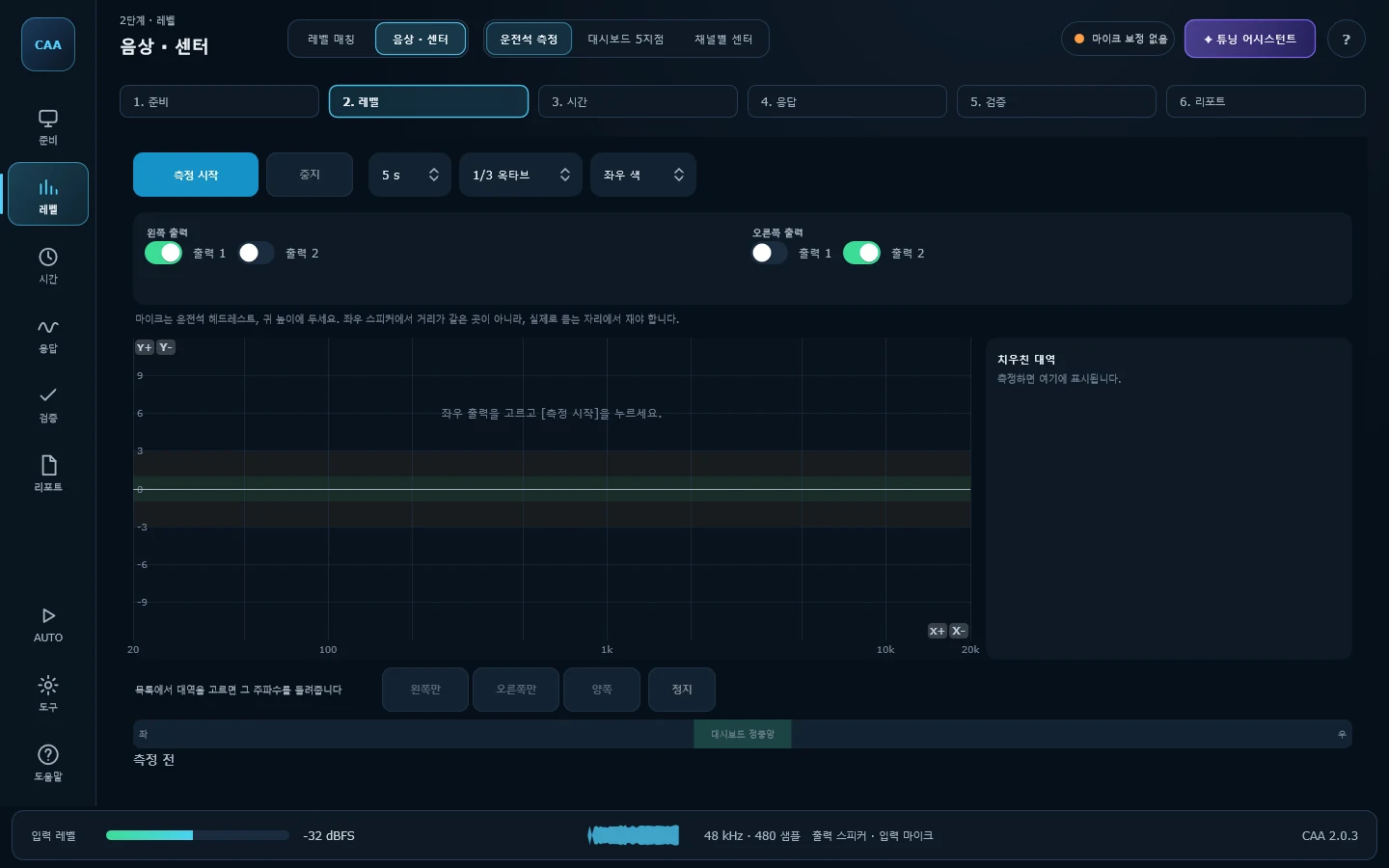
운전석에서 소리가 대시보드 정중앙에서 나오는지 확인합니다. 로그 사인 스윕을 왼쪽과 오른쪽에 순서대로 재생해 각각의 응답을 재고, 대역별 레벨차와 도달 시간차를 함께 비교합니다. 1/3 ~ 1/24 옥타브로 세분화해 볼 수 있고, 치우친 대역은 목록으로 골라내 그 자리에서 사인파로 직접 들어볼 수 있습니다.Checks whether the sound actually arrives from the middle of the dash at the driver's seat. A log sine sweep plays through the left outputs, then the right, each deconvolved at the microphone and compared band by band for level and arrival time. View at 1/3 to 1/24-octave resolution, and play a sine tone at any flagged band to hear the imbalance directly.
읽는 법How to read it —마이크는 운전석 헤드레스트에 둡니다 — 좌우 등거리 지점이 아닙니다. 레벨차 1 dB, 도달차 0.05 ms 이내면 중앙으로 봅니다. 도달차부터 타임 얼라인먼트로 맞추고, 남은 대역을 EQ로 다듬으세요.The microphone goes at the driver's headrest — not an equidistant point. Within 1 dB and 0.05 ms counts as centred. Fix the arrival gap with Time Alignment first, then trim what is left with EQ.
음상 · 센터 · 대시보드 5지점Dashboard Position
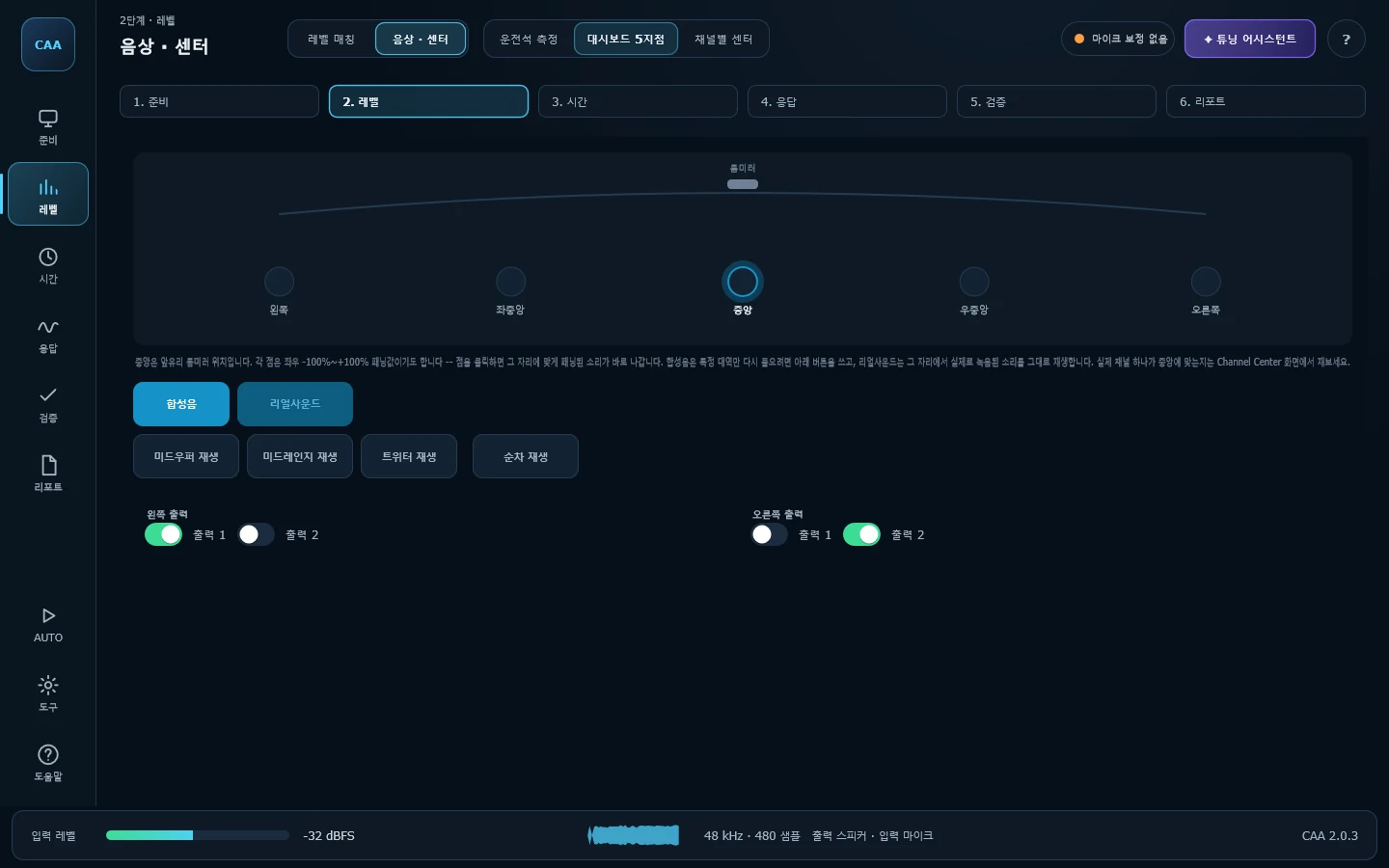
음상 · 센터는 운전석 한 점만 봅니다. 이 화면은 대시보드 다섯 지점 — 왼쪽 −100%부터 오른쪽 +100%까지, 믹싱 콘솔과 같은 패닝값(중앙은 앞유리 룸미러 위치) — 을 그림에서 고르면 그 패닝값대로 세 음이 곧바로 이어서 나가, 그 자리에 서서 음상이 정말 그쪽에서 들리는지 귀로 확인하게 해줍니다. 특정 대역만 다시 듣고 싶을 때는 아래 세 버튼을 씁니다 — 저음·중음·고음이 아니라 채널 구성 화면과 같은 이름의 미드우퍼·미드레인지·트위터 대역입니다. 미드우퍼는 킥드럼 타격에 베이스 기타를 겹친 소리(146.8Hz — 그 아래는 파장이 차 폭보다 길어져 좌우 구분이 안 되므로 뺐습니다), 미드레인지는 픽 잡음 뒤에 기타 현이 울리는 소리, 트위터는 두 배음이 초당 몇 번씩 맥놀이치는 트라이앵글 소리로 합성했습니다. 이 화면은 오직 재생만 합니다 — 녹음도 측정도 하지 않습니다.Stereo Image only looks at the driver's seat. This screen lets you pick one of five points spanning the dash — left at −100% to right at +100%, the same pan convention a mixing desk uses, centre fixed on the rearview mirror — and hear the three notes play right away, panned exactly that way, so you can judge by ear whether the image still seems centred from there. To hear one band on its own, the three buttons below do that — named midwoofer / midrange / tweeter, the same driver types the Channels screen uses, not a generic low/mid/high. The midwoofer note is a kick-drum hit layered with a bass guitar body (146.8 Hz — lower than that, a listener can no longer tell which side it's coming from, so it was left out), the midrange note is a pick's noise burst followed by a ringing guitar string, and the tweeter note is a triangle with two close partials beating a few times a second. This screen only ever plays — it never records or measures.
음상 · 센터 · 채널별 센터Channel Center
대시보드 5지점은 자리를 옮겨 가며 귀로 판단하는 화면입니다. 이 화면은 다른 질문을 답합니다 — 다섯 지점이 아니라, 지금 위 좌우 출력에 물린 이 채널이 그 자체로 중앙에 맞는지를 마이크와 정합 필터로 잽니다. 트위터·미드레인지·미드우퍼·우퍼 네 줄이 고정되어 있고, 어느 줄이 실제로 어느 드라이버인지는 앱이 알 수 없어(그건 차량 크로스오버가 정하는 일입니다) 네 줄 모두 같은 광대역 정합 신호를 씁니다. 줄마다 버튼 하나로 왼쪽 전체 크기, 이어서 오른쪽 전체 크기를 재 원시 좌우 편차를 −100%~+100% 막대 위 점으로 찍습니다.Dashboard Position is a screen you judge by ear, moving between spots. This one answers a different question — not the five dash points, but whether THIS channel, whatever is wired to the L/R outputs above, is itself centred, measured with the mic and a matched filter. Four rows are fixed: Tweeter, Midrange, Midwoofer, Woofer. The app has no way to know which row is actually which driver — that's the car's own crossover's job — so all four share one broadband probe signal instead of a band-specific tone. One Play per row sends it left then right and marks the raw left/right bias — no pan to add here — as a dot on a −100%..+100% bar.
다섯 번째 줄은 좌우 대신 앞뒤를 봅니다 — 먼저 잰 미드우퍼(또는 우퍼)만으로 한 번, 서브우퍼를 더해 한 번 더 재서 음압이 얼마나 오르는지로 서브가 앞 무대에 붙어 들리는지 제 자리(대개 뒤)에서 따로 들리는지를 앞/뒤 그림 위 점으로 보여줍니다.A fifth row looks front-to-back instead: it reprobes whichever of Midwoofer/Woofer was already measured, once alone and once with the sub added, and plots how much louder it gets on a front/back box — barely any rise lands the dot toward the back, a clear rise keeps it up front.
오실로스코프Oscilloscope
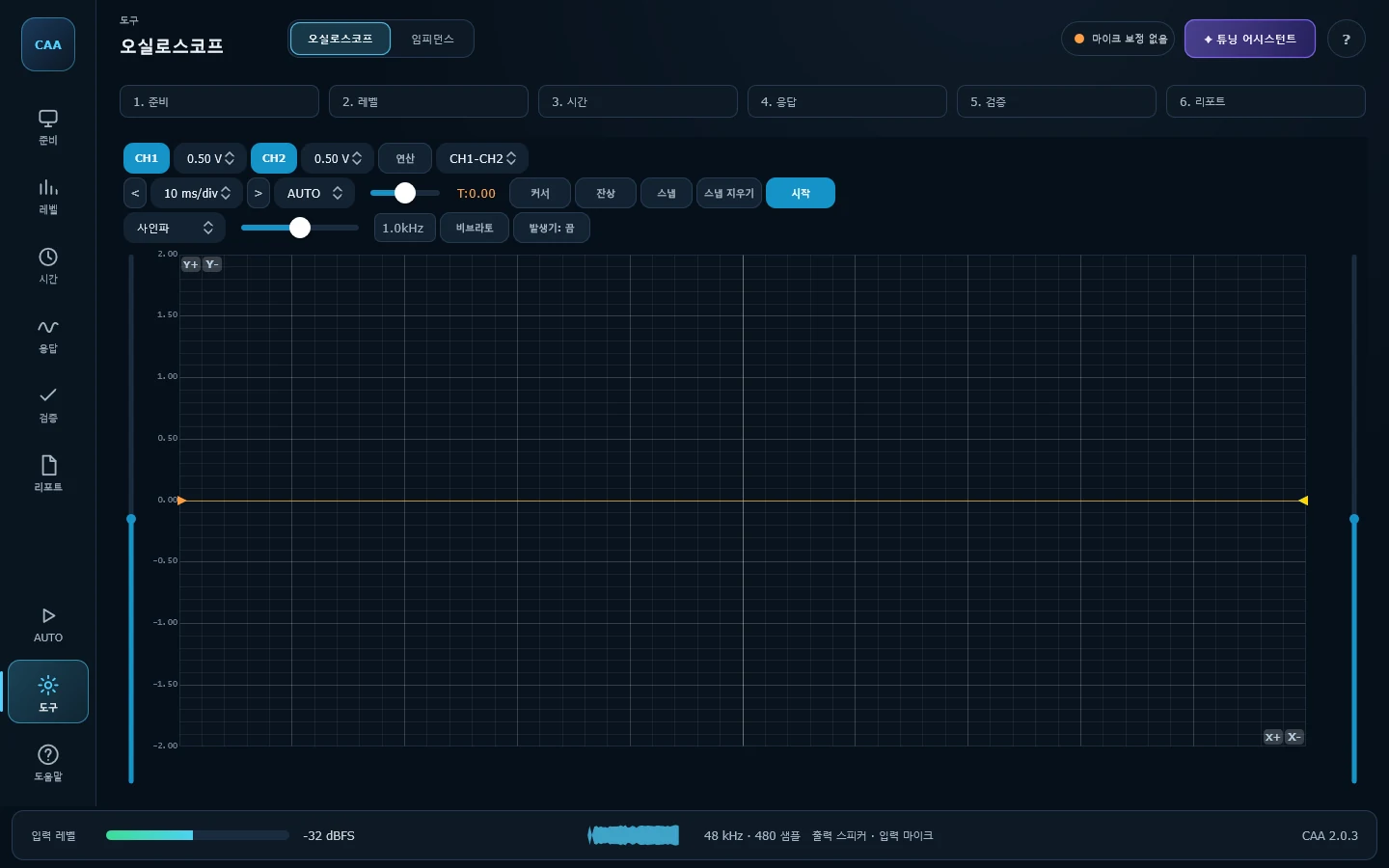
입력 파형을 시간축으로 관찰합니다. 2채널 동시 표시, 트리거(자동/노멀/싱글), 커서, 잔상(persistence), 스냅샷 비교를 지원하고, 사인·사각·삼각·톱니·노이즈 등 10종 신호 발생기가 내장되어 있습니다.A time-domain view of the input: two channels at once, auto/normal/single triggering, cursors, persistence and snapshot comparison, plus a built-in generator with ten waveforms.
읽는 법How to read it —파형 위아래가 평평해지기 시작하면 클리핑입니다. 앰프 게인을 올리며 그 지점을 찾으면 안전한 최대 볼륨을 알 수 있습니다.Flattened peaks mean clipping. Raise the amp gain until you find that point and you know the safe maximum.
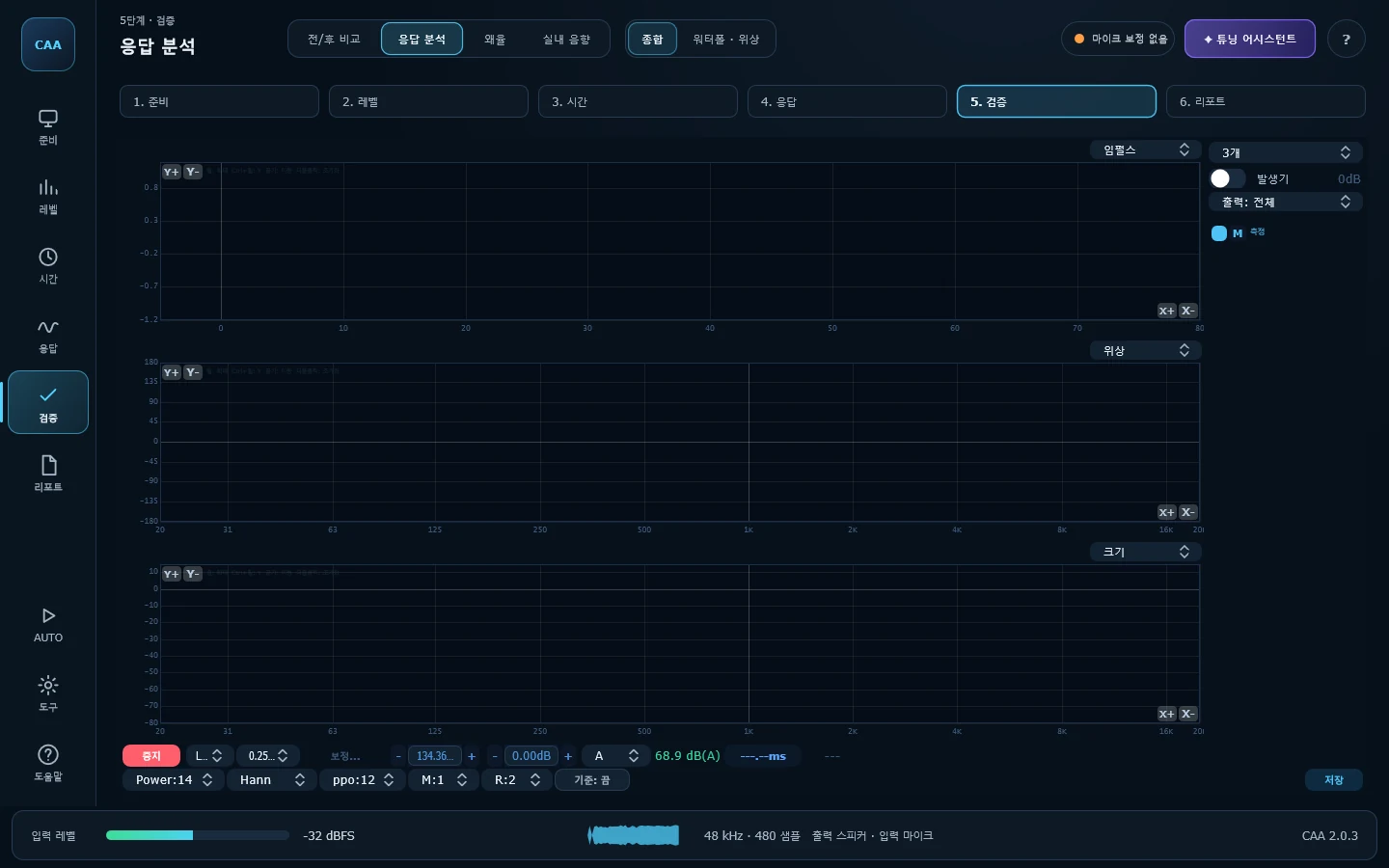
응답 분석 · 종합Sound Meter
SPL과 임펄스 응답 기반 분석을 한 화면에 모았습니다. Impulse · Magnitude · Phase · Coherence · Group Delay · Spectrum · Spectrogram 중 최대 3개를 동시에 띄우고, 창 함수 · FFT 크기 · 평균화 방식을 개별 조정할 수 있습니다. STORE로 현재 결과를 저장해 이후 측정과 겹쳐 볼 수 있습니다.SPL alongside impulse-based analysis. Show up to three of impulse, magnitude, phase, coherence, group delay, spectrum and spectrogram at once, each with its own window, FFT size and averaging. STORE freezes a result to overlay against later ones.
읽는 법How to read it —코히런스가 1에 가까울수록 그 주파수의 측정을 믿을 수 있습니다. 낮게 나오는 대역은 배경 소음이나 비선형 왜곡의 영향입니다.The closer coherence sits to 1, the more you can trust that frequency. A band that dips is being affected by background noise or non-linear distortion.
| 그 밖의 측정 화면Other measurement screens | 설명What it does |
|---|---|
| L/R Level | FL · FR · RL · RR · Sub 그룹 단위로 좌우 밸런스를 빠르게 비교합니다. 채널별 세밀한 매칭 전에 큰 편차를 먼저 잡을 때 유용합니다.A quick left/right balance check by group — FL, FR, RL, RR and sub. Useful for catching gross imbalances before per-channel matching. |
| Pink Noise | 핑크노이즈를 재생하며 실시간 주파수 응답을 관찰합니다. 프레임 평균(3·5·10회)으로 흔들림을 줄이고, 스냅샷으로 조정 전후를 겹쳐 볼 수 있습니다.Plays pink noise and watches the response live, with frame averaging (3, 5 or 10) to steady it and snapshots to overlay before and after. |
분석 — 측정한 것을 해석하고 보정Analysis — interpreting and correcting
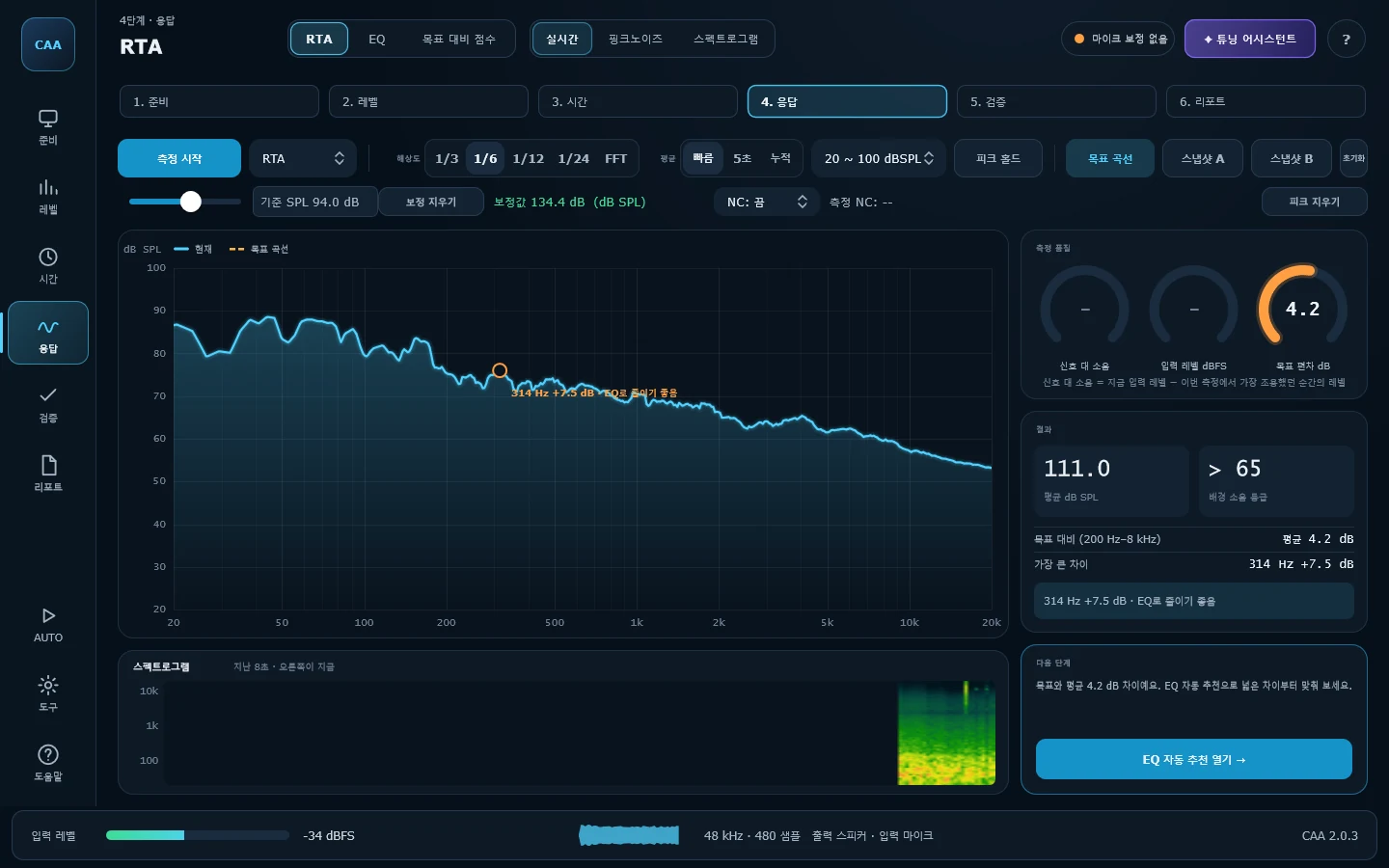
RTA · 실시간RTA Spectrum
실시간 옥타브 스펙트럼 분석기입니다. 1/3 ~ 1/24 옥타브 스무딩, 피크 홀드, 1초 ~ 60초 또는 연속 시간 평균, 스냅샷 A/B 비교를 지원합니다. NC 곡선을 겹쳐 배경 소음 등급을 추정할 수 있고, H1 전달함수 모드로 전환하면 위상과 코히런스가 함께 표시됩니다.A real-time analyser with 1/3 to 1/24-octave smoothing, peak hold, timed averaging from one to sixty seconds or continuous, and A/B snapshots. Overlay an NC curve to estimate the noise rating, or switch to H1 transfer-function mode for phase and coherence.
읽는 법How to read it —NC 등급은 마이크를 보정해야 의미가 있습니다. 보정 전에는 앱이 등급 대신 "보정 먼저"라고 표시합니다.The NC rating only means something with a calibrated microphone; until then the app says so instead of showing a number.
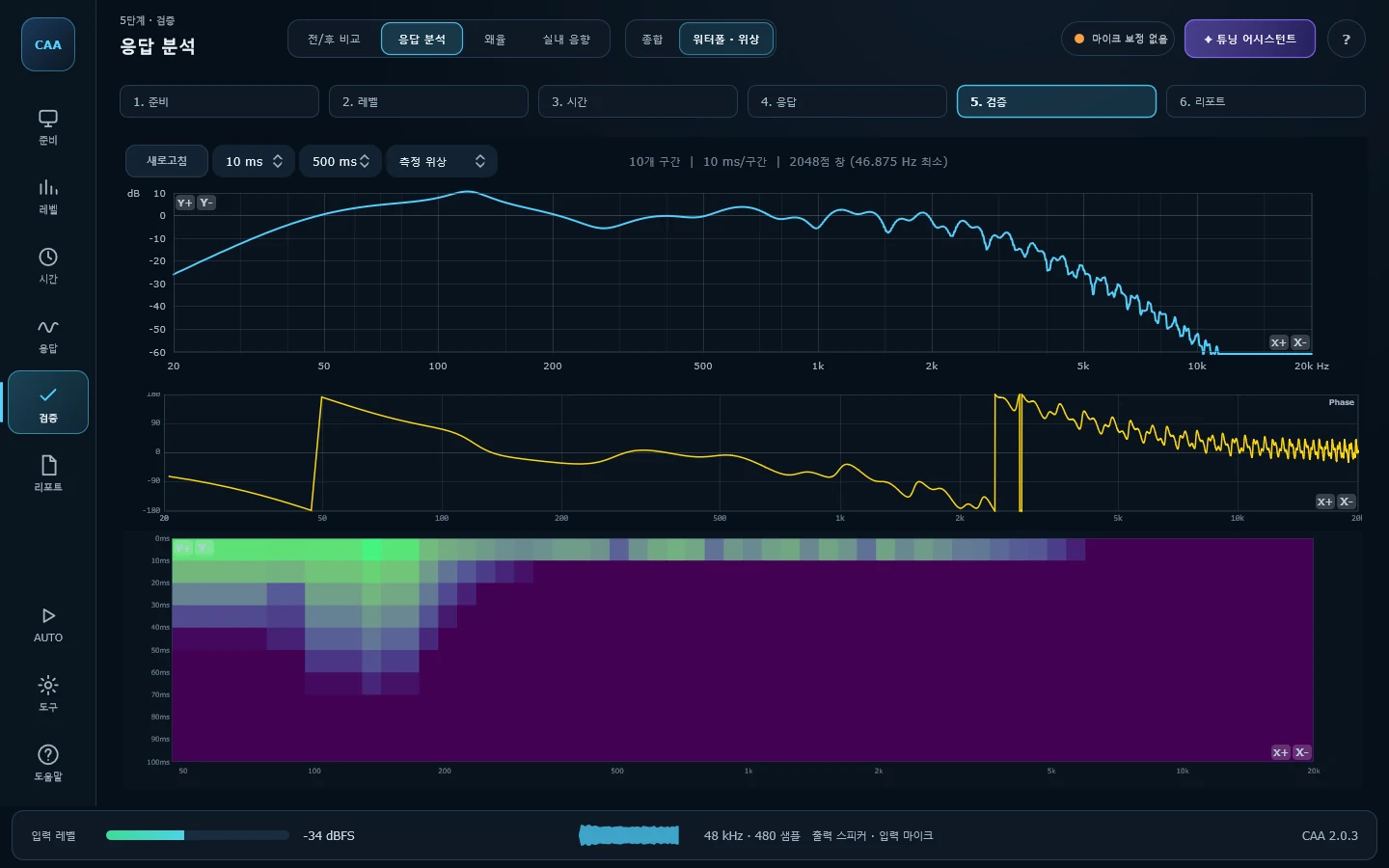
응답 분석 · 워터폴 · 위상Waterfall / Phase
타임 얼라인먼트에서 측정한 임펄스 응답을 시간에 따른 주파수 감쇠(CSD)로 시각화하고, 위상 곡선을 함께 표시합니다. 시간창은 5 ~ 50 ms, 표시 구간은 200 ~ 2,000 ms에서 고를 수 있습니다.Turns the measured impulse into a cumulative spectral decay plot with a phase curve alongside. Time steps from 5 to 50 ms over a 200 to 2,000 ms span.
읽는 법How to read it —특정 주파수만 시간이 지나도 밝게 남아 있으면 그 대역에 공진이 있다는 뜻입니다. 시간·주파수 분해능은 맞바꿈 관계라 저역은 원리상 흐릿하며, 실제 분해 가능한 최저 주파수가 화면에 표시됩니다.A frequency that stays bright as time advances is resonating. Time and frequency resolution trade off, so the bass is inherently blurred — the lowest frequency actually resolved is shown on screen.
최소위상 · 초과위상Minimum and excess phase —측정된 위상은 두 가지가 섞여 있습니다. 주파수응답 모양이 있으면 반드시 따라오는 위상(크로스오버·유닛 롤오프·실내 공진)과, 유닛이 멀리 있어서 생긴 위상입니다. 앞의 것은 딜레이로 없앨 수 없습니다. 위상 그래프를 최소위상 / 초과위상으로 나눠 볼 수 있고, 옆에 나오는 '지연 보정' 값은 타임 얼라인먼트가 보고한 도달 시간에서 크로스오버가 만든 몫을 덜어낸 값입니다 — 2.5 kHz 24 dB/oct 크로스오버는 그 자체로 0.18 ms를 만듭니다.A measured phase curve mixes two things: the phase the magnitude shape demands (crossovers, driver roll-off, cabin resonance) and the phase distance adds. Only the second can be delayed away. The phase graph splits into minimum and excess phase, and the delay-correction figure beside it takes the crossover's share back out of the reported arrival time — a 2.5 kHz 24 dB/oct crossover contributes 0.18 ms all by itself.
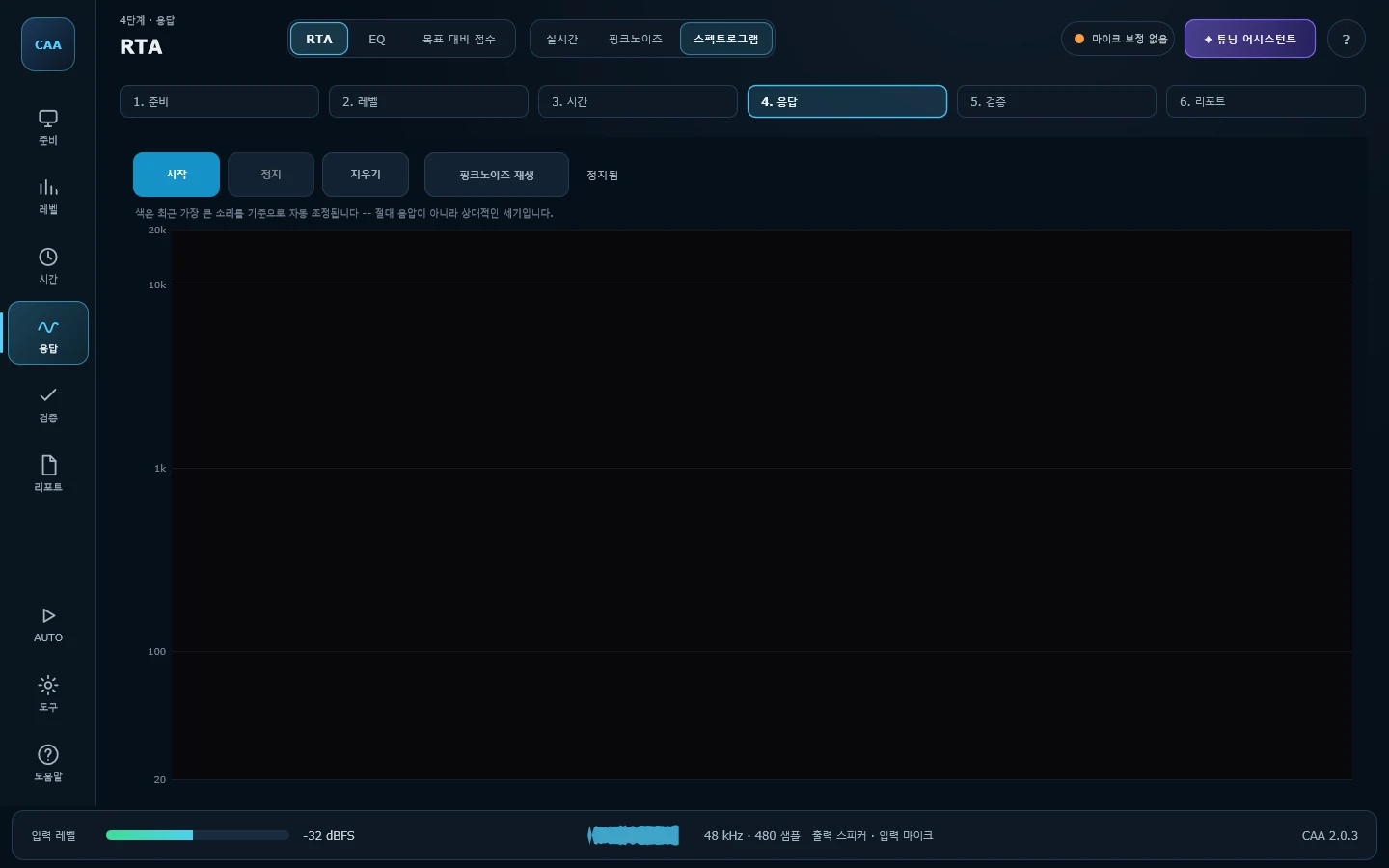
RTA · 스펙트로그램Spectrogram
마이크가 듣는 소리를 시간에 따라 색으로 흘려보내는 실시간 워터폴입니다. RTA가 지금 이 순간의 스펙트럼을 선 하나로 보여준다면, 여기는 지난 몇 초 동안 그 선이 어떻게 바뀌어 왔는지를 보여줍니다. 엔진 회전수에 따라 오르는 배음이나, 어느 순간에만 나타났다 사라지는 rattle을 찾을 때 유용합니다. 소스가 따로 없을 때는 "핑크노이즈 재생" 버튼으로 직접 신호를 내보내면서 확인할 수 있고, 화면을 벗어나면 자동으로 멈춥니다.A live, scrolling time/frequency/level waterfall of whatever the microphone hears. Where RTA shows a single line for this instant, this shows how that line has changed over the last several seconds — useful for an engine harmonic that rises with RPM, or a rattle that only shows up for a moment. When there's no signal to watch, the "Play Pink Noise" button feeds one in directly, and it stops automatically on leaving the screen.
읽는 법How to read it —색은 dB SPL 같은 절대 레벨이 아니라 최근 가장 컸던 소리를 기준으로 자동 조정되는 상대 세기입니다. 어둡고 진할수록 조용하고, 보라·빨강을 지나 노랑에 가까울수록 큽니다. 오른쪽 끝이 지금이고, 시간은 왼쪽에서 오른쪽으로 흐릅니다.Colour is a relative level auto-scaled to the loudest recent moment, not an absolute dB SPL reading — dark and quiet through purple and red to pale yellow at the loudest. The right edge is now; time runs left to right.
목표 대비 점수 · 유닛별 — 100점 점수Channel Target — a score out of 100, per driver
크로스오버를 건 뒤, 타임 얼라인먼트보다 먼저 하는 화면입니다. 차 전체의 목표 곡선을 그 유닛이 맡은 대역만큼 잘라내고, 핑크노이즈를 재생하면서 목표에 얼마나 가까운지 계기판에 100점으로 보여줍니다. 재생 전 차 안 소음을 먼저 재고, 신호가 소음보다 12 dB 이상 클 때만 점수를 냅니다 — 소리가 작으면 소음의 모양이 채점되어 점수가 높게 나오기 때문입니다. DSP에서 밴드를 고치는 즉시 점수가 움직이므로, 보면서 맞춰 나갈 수 있습니다.Done after the crossover and before time alignment. The system target is cut down to the band one driver plays, pink noise runs through it — after measuring the cabin noise first, and only scoring once the signal stands 12 dB clear of it — and how close it is comes back out of 100 on the same dial as everywhere else — the number moves as you change a band in the DSP, so you tune while watching it.
여러 개 묶어서도Or several at once —유닛을 하나씩 다 맞춰도 함께 울리면 다르게 들립니다. 겹치는 대역에서 서로 더해지기 때문입니다. 채널 버튼을 여러 개 눌러 묶으면 그 조합을 함께 울려서 잽니다 — 왼쪽 전부, 오른쪽 전부, 트위터 둘만, 무엇이든 됩니다. 고른 채널은 체크 표시로 표시되고, 각 유닛에 지정해 둔 출력들을 한꺼번에 울립니다. 목표 곡선도 고른 유닛들의 목표를 합쳐서 그립니다 — 사이를 맡을 유닛이 없으면 목표에도 그 구멍이 그대로 나타나므로, 크로스오버가 만든 빈 자리를 부족한 것으로 읽지 않습니다.Getting every driver right one at a time does not make the sides match, because they add where their bands overlap. Click several drivers and that combination plays together — the whole left side, the whole right side, both tweeters, whatever you need to compare. Selected drivers are ticked, and the outputs they are each wired to all play at once. The target is the sum of what each chosen driver is asked for — so a gap between two of them appears in the target as well, and the crossover is not mistaken for a fault.
초보자용For beginners —점수 아래에 어느 밴드를 몇 dB 올리거나 내리면 되는지 순서대로 나옵니다. 좁고 뾰족한 봉우리에는 일부러 덜 깎도록 제안해 옆 대역이 함께 파이는 것을 막습니다. 채점 구간은 그 유닛이 실제로 일하는 대역 안쪽으로 제한되며, 앱에 크로스오버를 설정하지 않았다면 측정된 응답에서 대역을 직접 읽습니다 — 크로스오버가 외장 DSP에 있어도 트위터에게 100Hz를 내라고 하지 않습니다. 레벨이 통째로 크거나 작은 것은 감점하지 않습니다.Under the score it lists which band, and by how many dB, in the order to do them. A peak narrower than the band that would correct it is deliberately under-corrected. Scoring stays inside the band the driver really works over — and when no crossover is set in the app, the corners are read back from the measurement itself, so a crossover living in an external DSP never leads to asking a tweeter for 100 Hz. A channel that is simply quiet loses no points.
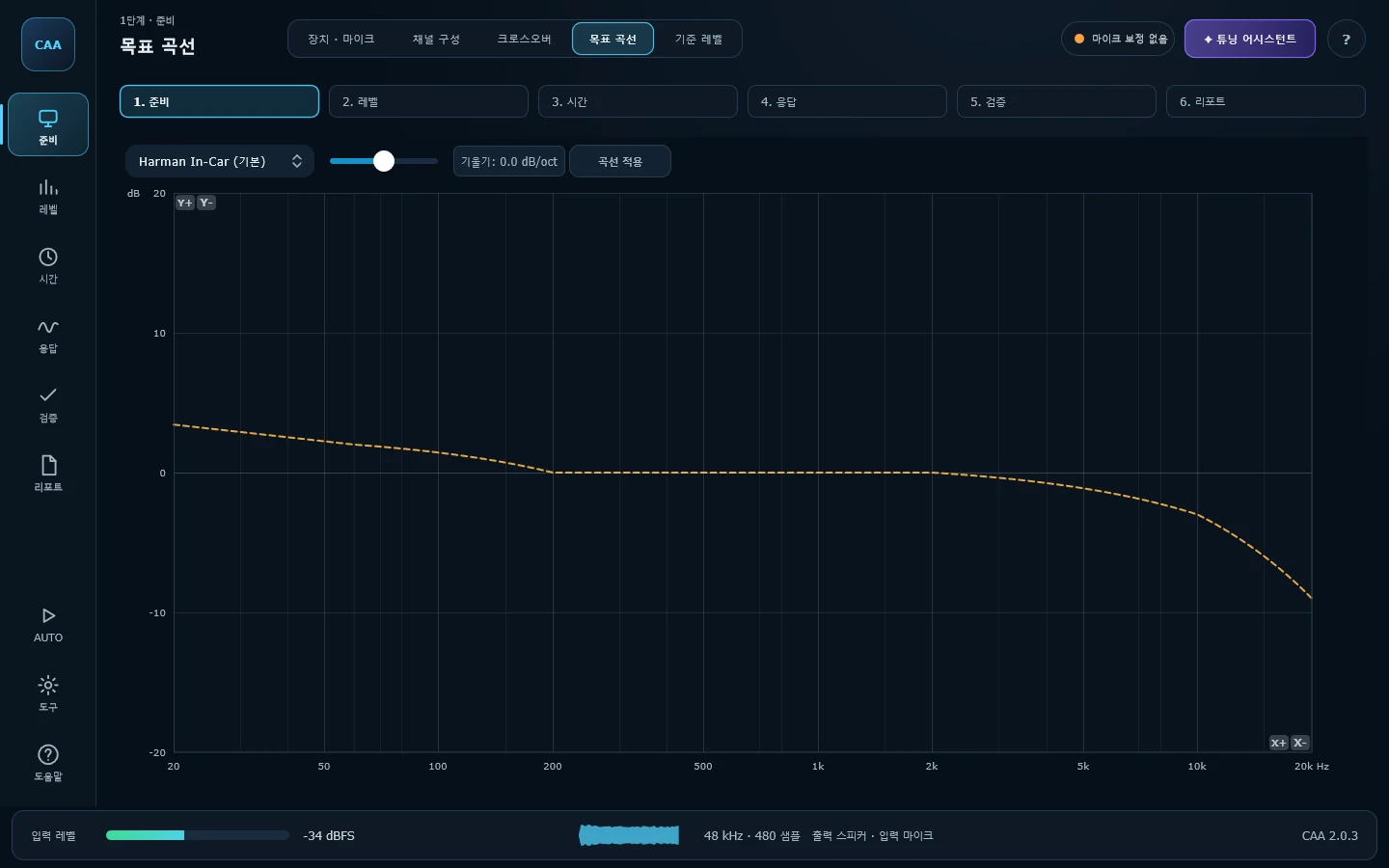
목표 곡선Target Curve
Harman In-Car · 2015 · 2018, Flat, House Curve, Bass Boost, V-Shape, Bruel & Kjaer, Diffuse Field, X Curve 등 10종 프리셋을 제공하고, Custom을 고르면 31밴드 편집기로 직접 그릴 수 있습니다. Tilt 슬라이더(-3 ~ +3 dB/oct)는 어느 프리셋에도 적용됩니다.Ten presets — Harman In-Car, 2015 and 2018, flat, house curve, bass boost, V-shape, Bruel & Kjaer, diffuse field and X curve — plus a 31-band editor under Custom. The tilt slider (-3 to +3 dB/oct) applies to any of them.
읽는 법How to read it —Apply Curve를 눌러야 RTA · 목표 대비 점수 · 라이브 EQ · EQ 자동 추천에 반영됩니다. 누르기 전에는 이 화면 안에서만 보입니다.Nothing leaves this screen until you press Apply Curve — that is what feeds RTA, SPL/Harman, Live EQ and EQ Recommend.
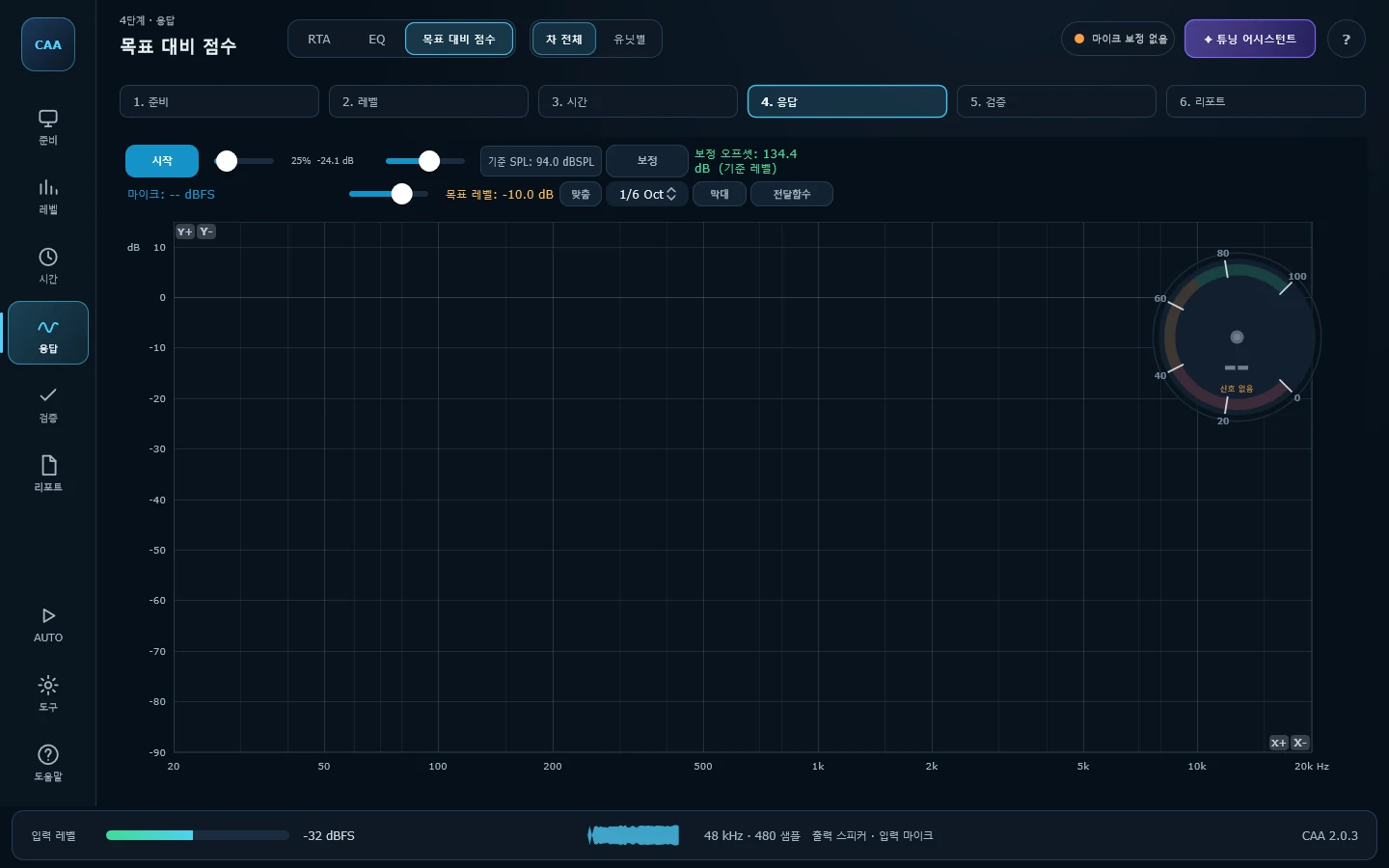
목표 대비 점수 · 차 전체SPL / Harman
측정 곡선을 목표 곡선과 비교해 0 ~ 100점으로 환산하고 자동차 계기판 형태로 보여줍니다. 점수는 100 Hz ~ 10 kHz를 옥타브 균등 간격으로 샘플링해 계산하므로 저역과 고역이 같은 비중을 가집니다.Scores the measured curve against the target from 0 to 100 on a car-style dial. The score samples 100 Hz to 10 kHz at even octave spacing, so bass and treble carry equal weight.
읽는 법How to read it —이 화면은 항상 라이브 EQ와 크로스오버 보정을 끈 상태의 순정 응답을 측정합니다. Stop을 누르면 원래 보정 상태로 복원됩니다.This screen always measures the uncorrected response, with Live EQ and crossover correction switched off. Pressing Stop restores whatever they were.
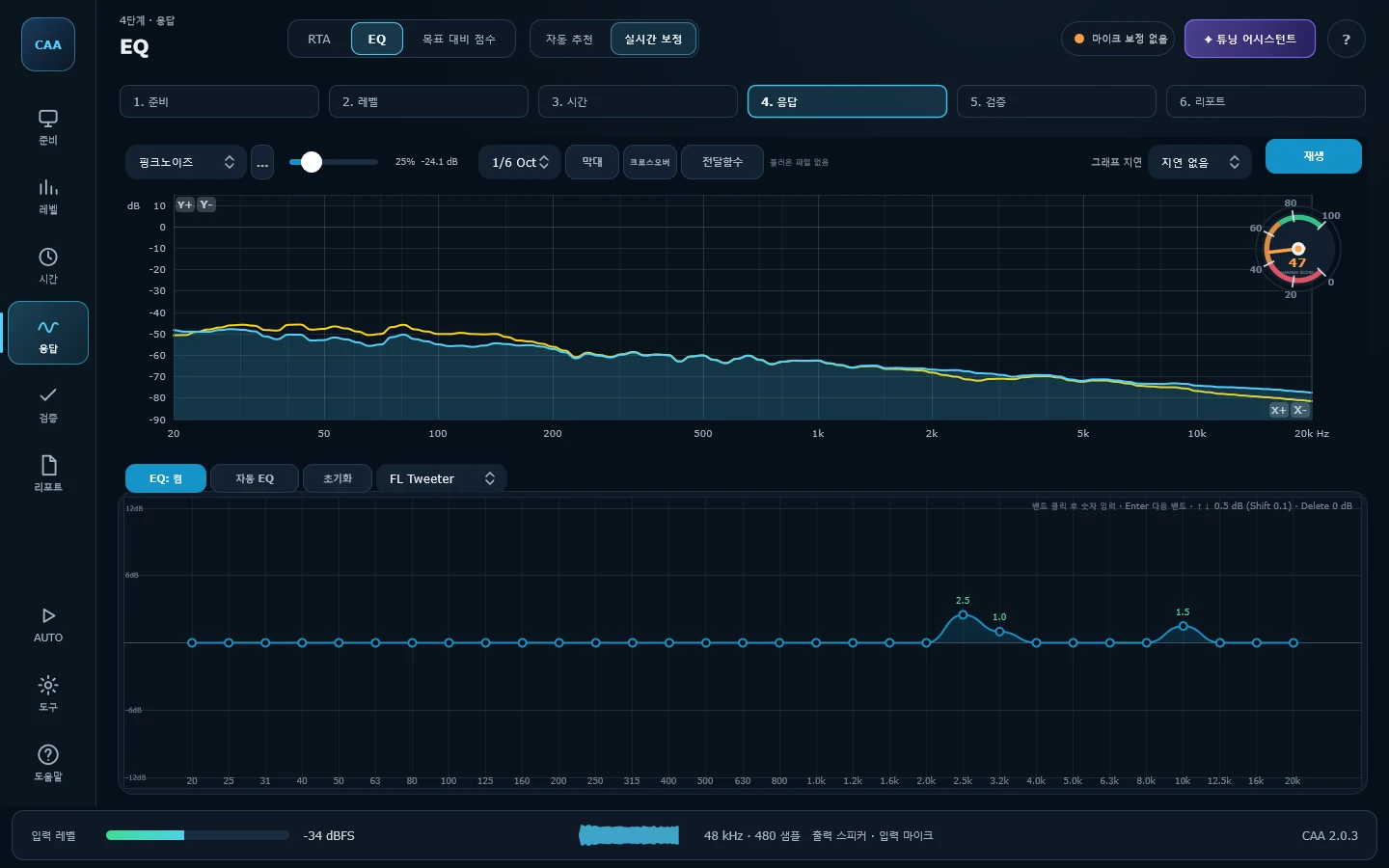
EQ · 실시간 보정Live EQ
31밴드 그래픽 EQ가 재생 신호에 실시간으로 적용되고, 마이크 측정 결과가 100포인트로 세분화되어 위 그래프에 겹쳐 표시됩니다. 채널별 보정값이 따로 저장되어 채널을 바꿔도 유지되고, 크로스오버 곡선과 목표 곡선을 오버레이로 켤 수 있습니다.A 31-band graphic EQ applied to the playback in real time, with the microphone's response overlaid above it at 100 points. Corrections are stored per channel and follow the channel selection; the crossover and target curves can be overlaid too.
읽는 법How to read it —EQ: ON을 켜야 보정이 실제 소리에 적용됩니다. 좁고 깊은 딥은 대부분 반사에 의한 것이라 EQ로 메워지지 않습니다. 넓은 대역의 기울기를 잡는 데 집중하세요.Correction only reaches the audio with EQ: ON. Narrow deep nulls are usually reflections and will not fill in — spend the effort on broad tonal tilts instead.
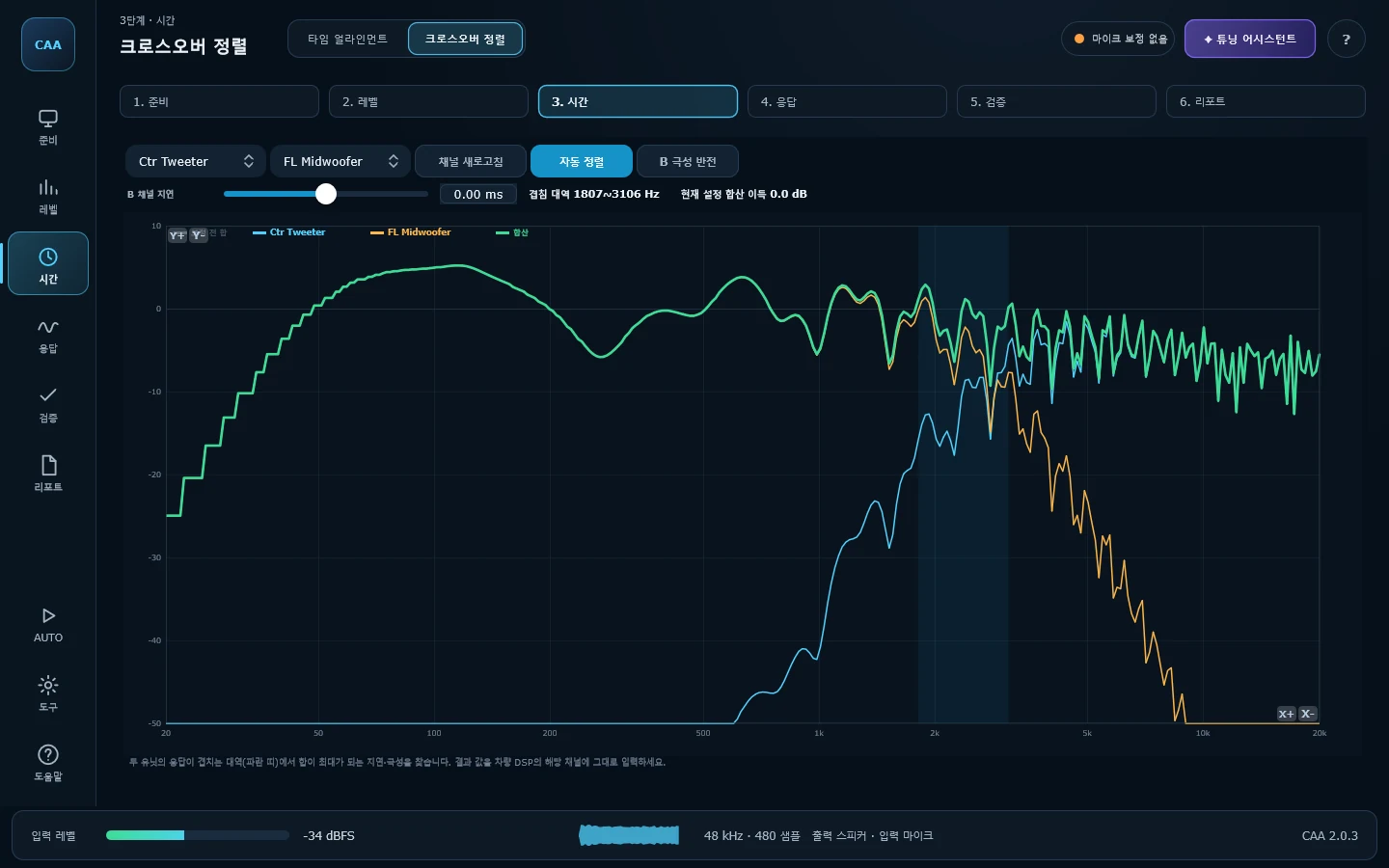
크로스오버 정렬Crossover Align
두 유닛(미드와 트위터, 서브와 미드)이 크로스오버 대역에서 실제로 더해지는지 상쇄되는지를 계산으로 확인합니다. 타임 얼라인먼트에서 측정한 두 채널의 크기와 위상을 복소수로 합산하고, 지연 ±3 ms를 0.01 ms 간격으로, 극성 정·역 두 경우를 전부 시도해 합이 가장 커지는 조합을 찾아냅니다.Whether two drivers actually add or cancel through the crossover, worked out rather than guessed. It sums the two measured channels in the complex domain and sweeps delay across ±3 ms in 0.01 ms steps for both polarities, reporting the combination that puts the most energy through the overlap.
읽는 법How to read it —회색은 보정 전 합, 초록 굵은 선이 현재 설정에서의 합입니다. 파란 띠(겹침 대역)에서 초록이 회색보다 위에 있으면 개선된 것이고, 깊게 파이면 위상이 상쇄되고 있다는 뜻입니다. 결과로 나온 지연·극성은 차량 DSP에 그대로 입력하면 됩니다.Grey is the uncorrected sum, thick green the sum as currently set. Inside the blue overlap band, green above grey is an improvement and a deep notch means the two are cancelling. The delay and polarity it reports go straight into the car's DSP.
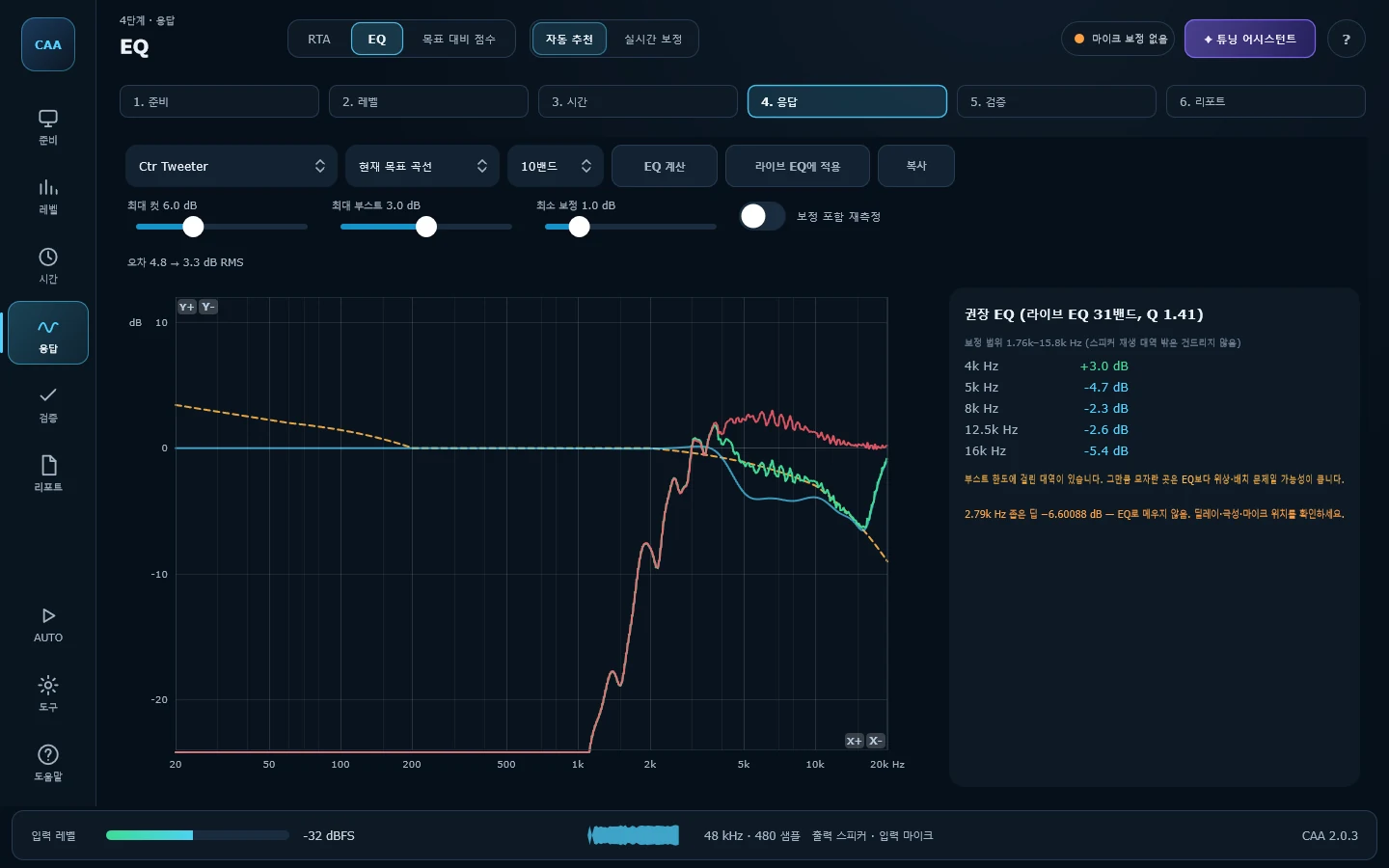
EQ · 자동 추천EQ Recommend
실측 응답과 목표 곡선의 차이를 분석해 보정 밴드(중심주파수 · 게인 · Q)를 자동으로 제안합니다. 밴드 개수(5 ~ 31)와 최소·최대 게인을 지정할 수 있고, Apply를 누르면 라이브 EQ의 31밴드에 바로 반영됩니다.Compares the measured response against the target and proposes correction bands with centre frequency, gain and Q. Choose how many bands (5 to 31) and the gain limits; Apply pushes them straight into Live EQ.
읽는 법How to read it —자동 계산은 출발점일 뿐입니다. 적용한 뒤 라이브 EQ에서 들으며 다듬는 것을 전제로 쓰세요.Treat the result as a starting point, then refine it by ear in Live EQ.
| 그 밖의 분석 화면Other analysis screens | 설명What it does |
|---|---|
| Room Acoustics | 핑크노이즈 임펄스 응답에서 Schroeder 역적분 감쇠 곡선을 구해 ISO 3382-1 파라미터(EDT · T20 · T30 · C50 · C80 · D50 · Ts)를 계산합니다. 그래프의 점선은 EDT · T20 · T30 회귀선이 -60 dB에 도달하는 지점을 보여주므로, 세 값이 크게 다르면 감쇠가 비선형이라는 뜻입니다. STI도 표시되지만 근사치입니다.Derives a Schroeder decay curve from a pink-noise impulse response and computes the ISO 3382-1 parameters (EDT, T20, T30, C50, C80, D50, Ts). Dotted lines show where each regression reaches -60 dB, so three very different values mean a non-linear decay. An STI figure is shown too, but it is an approximation. |
도구 — 부품과 배선을 점검할 때Tools — checking the hardware itself
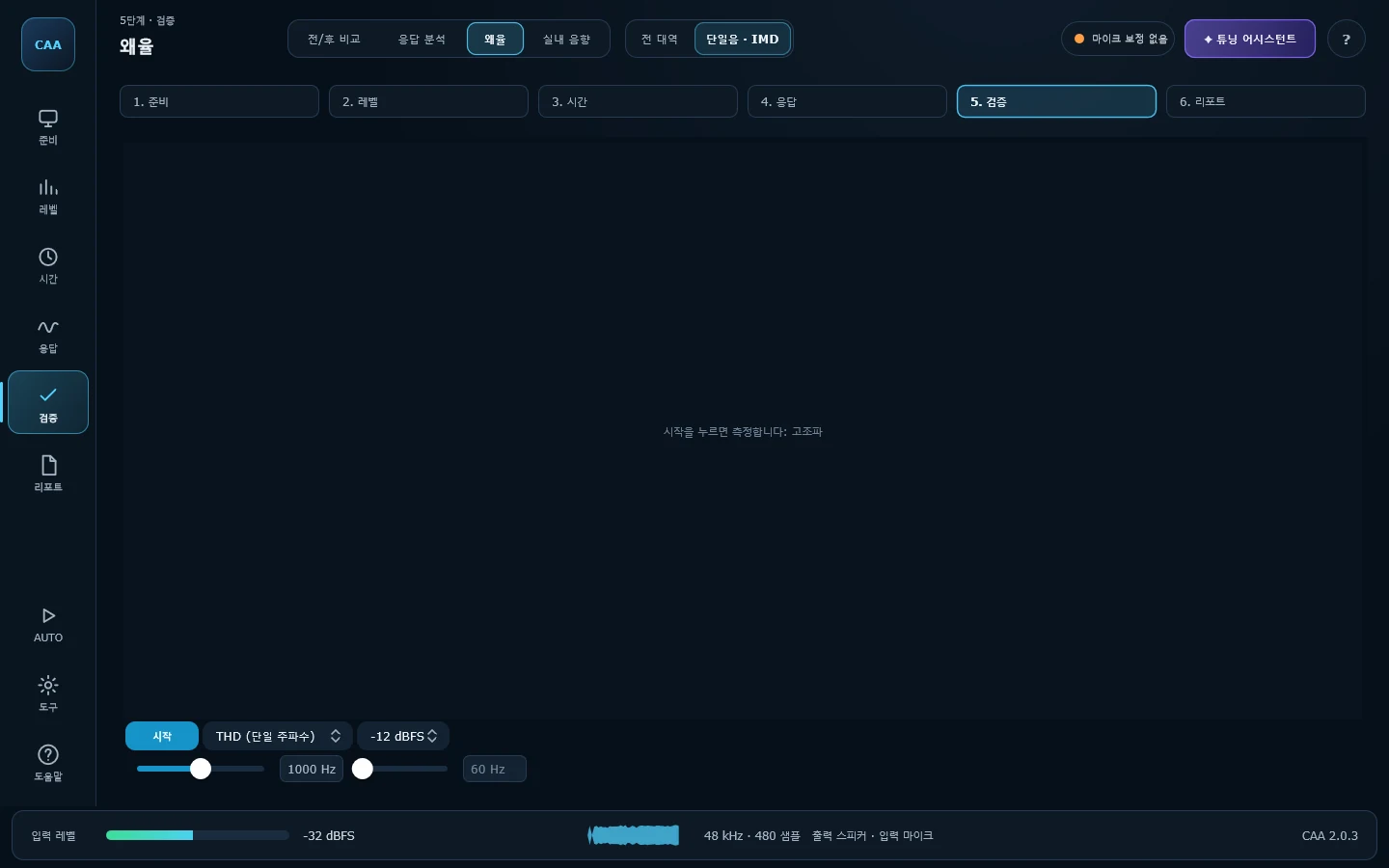
왜율 · 단일음 · IMDTHD / IMD
단일음 고조파 왜율(2 ~ 10차)과 SMPTE 2톤 상호변조 왜율(1 ~ 4차 측대역)을 차수별 막대그래프로 표시합니다. 재생 레벨은 -6 ~ -24 dBFS에서 선택합니다.Single-tone harmonic distortion (orders two to ten) and SMPTE two-tone intermodulation (sideband orders one to four), charted by order. Playback level from -6 to -24 dBFS.
읽는 법How to read it —볼륨을 단계적으로 올리며 왜곡이 급증하는 지점을 찾으면 그 유닛의 안전한 한계를 알 수 있습니다. 저역은 원래 높게 나옵니다.Raise the level in steps and watch for where distortion climbs sharply — that is the driver's practical limit. Bass naturally reads higher.
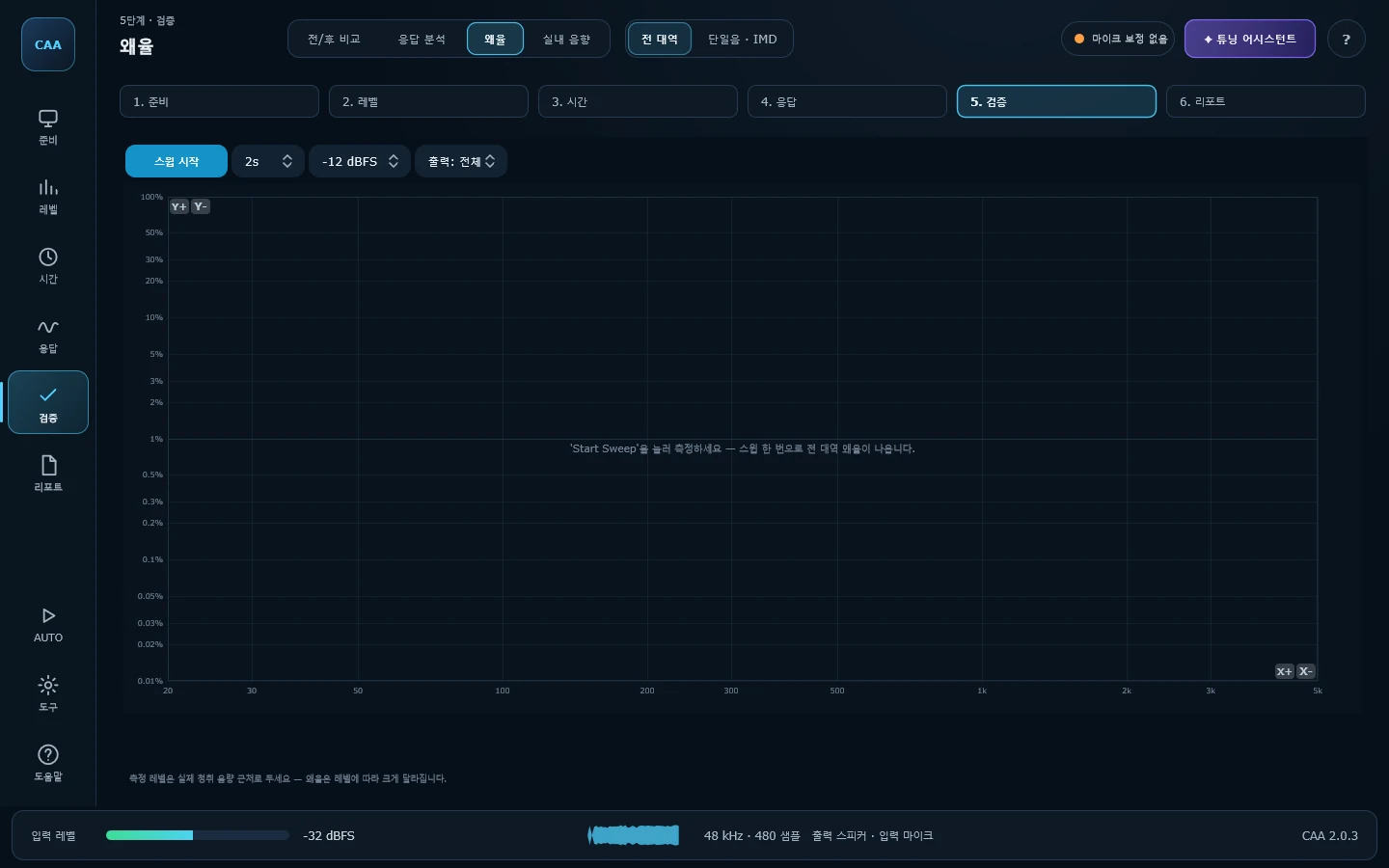
왜율 · 전 대역Distortion Sweep
스윕 한 번으로 전 대역의 왜율을 곡선으로 보여줍니다. 2~5차 고조파(THD)와 6~10차 고차 왜율(Rub & Buzz)을 따로 그리는데, 앞쪽은 유닛이 한계까지 밀렸을 때 자연히 생기는 왜율이고 뒤쪽은 트림 떨림·그릴 접촉·보이스코일 마찰 같은 기계적 문제라 대처법이 다르기 때문입니다.Distortion across the whole band from a single sweep. Harmonics two to five (THD) and orders six to ten (rub & buzz) are drawn separately on purpose: the first is a driver being pushed, the second is something mechanical — a rattling trim panel, a grille touching, a rubbing voice coil — and they call for different fixes.
읽는 법How to read it —특정 주파수에서만 뾰족하게 솟으면 공진·떨림입니다. 그 주파수를 Pink Noise로 계속 재생하면서 트림을 손으로 눌러보면 원인을 바로 찾을 수 있습니다. 회색 점선은 이번 측정의 노이즈 플로어로, 그 아래 값은 측정 한계이지 실제 왜율이 아닙니다.A narrow spike is a resonance or a rattle: play that frequency from the Pink Noise screen and press on the trim to find it. The dashed line is this run's noise floor — anything under it is the measurement, not the car.
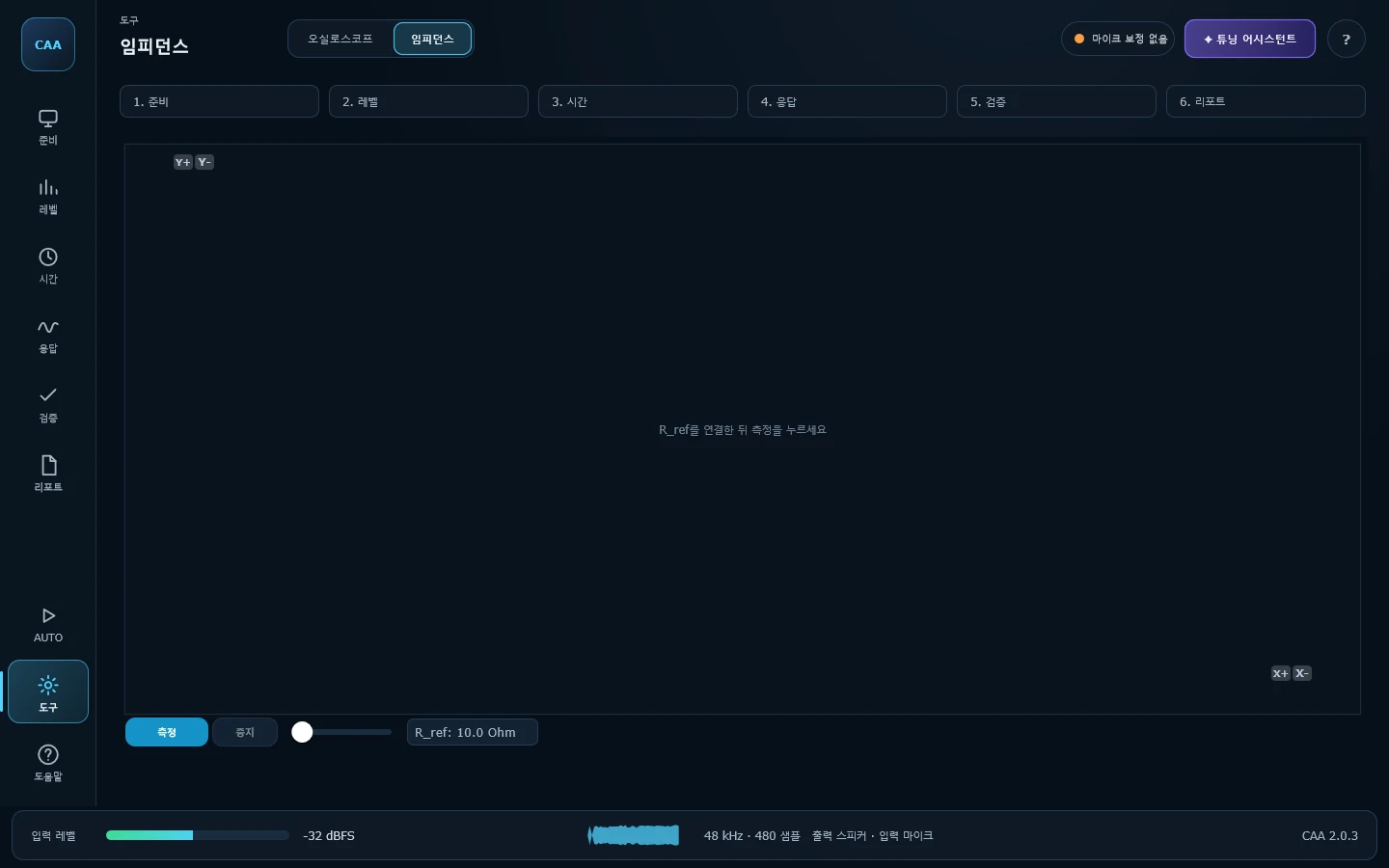
임피던스Impedance
기준저항을 스피커와 직렬로 연결해 전압 분배 원리로 임피던스 곡선을 측정합니다. 공진주파수(Fs)와 최소 임피던스를 확인할 수 있습니다.Measures the impedance curve by voltage division across a series reference resistor, giving the resonance frequency and the minimum impedance.
주의Note —입력 2채널이 필요합니다. CH1은 스피커 양단, CH2는 기준저항 양단. 한 채널만 있으면 계산하지 않고 그 사실을 알려줍니다.Two input channels are required — CH1 across the speaker, CH2 across the resistor. With one, it declines to compute and says so.
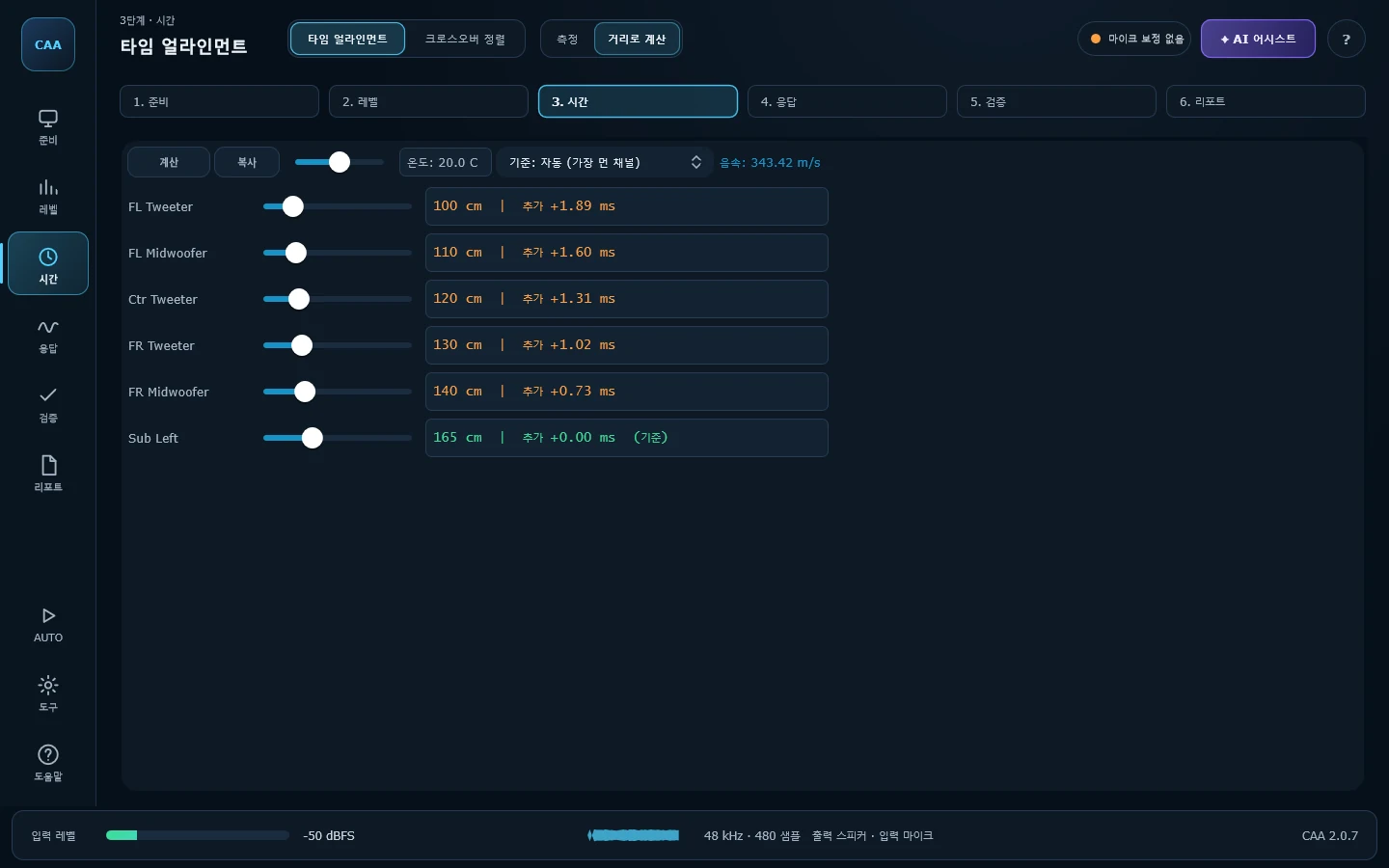
Delay Calculator
실측 대신, 스피커와 청취 위치 사이의 물리적 거리로부터 필요한 지연값을 계산합니다. 온도에 따른 음속 보정(-20 ~ 60 °C)이 반영됩니다.Works delays out from tape-measured distances rather than measurement, with the speed of sound corrected for temperature from -20 to 60 °C.
읽는 법How to read it —이론적 근사치이므로 타임 얼라인먼트 실측 전 참고값으로 쓰세요. 표시되는 값은 "이 채널에 더할 지연"입니다.A theoretical starting point to sanity-check against a real Time Alignment measurement. The figure shown is the delay to add to that channel.
직접 써보세요Try it yourself
모든 기능이 제한 없이 열려 있습니다.Every feature is open, with no restrictions.